NEW: Upload Your Agency’s Logo and Customize Your Audience Research Graphs
Summary
It’s new feature month over here at SparkToro (given we’ve just launched Take Action and the enhanced usage-graph visuals), and we’re continuing the streak with the long-requested addition of white labeled, exportable graphs. Now, with an Agency/Enterprise tier account, you can: Hop over to your Account Settings page Upload your logo (PNG, JPG, or SVG up to 2MB) Customize the…
NEW: Upload your agency’s logo and customize your audience research graphs
It’s new feature month over here at SparkToro (given we’ve just launched Take Action and the enhanced usage‑graph visuals), and we’re continuing the streak with the long‑requested addition of white‑labeled, exportable graphs.
Now, with an Agency/Enterprise tier account, you can:
-
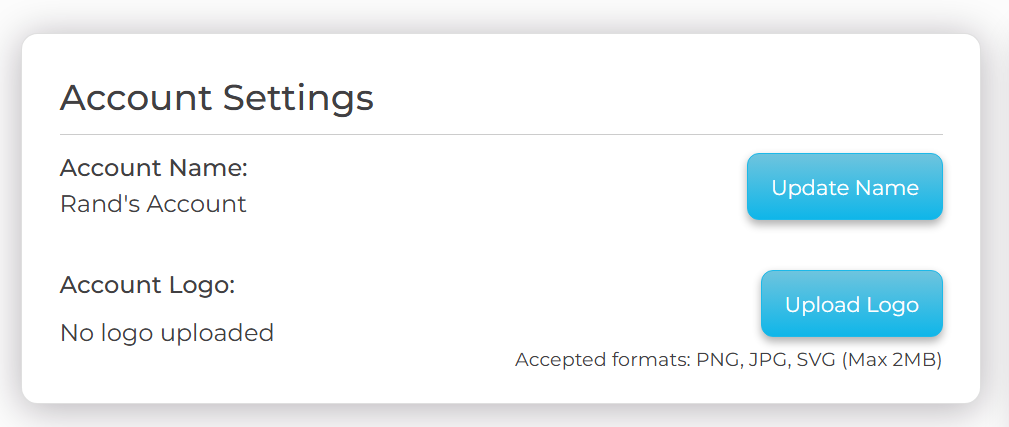
Hop over to your Account Settings page
-
Upload your logo (PNG, JPG, or SVG up to 2 MB)
-
Customize the graphs in any audience research report
-
Export/save from the browser
-
And get a fancy, high‑res PNG that includes your logo instead of ours
It’s an especially nice upgrade for consultants and agencies who use SparkToro, but in‑house marketers might find it nicely applicable to internal pitch decks, presentations, and reports as well.
Not too shabby, eh? 😎 Full credit to my co‑founder, Casey Henry, who built this after hearing from some of y’all passionately requesting it last month at SparkTogether (hint hint: if there’s something you want, talking to Casey IRL is a great way to get it).
The feature looks like this on your account page:
And while the logo won’t show in the product, when you download any visual using the cloud icon (which looks like this 👇)
You’ll get a pretty graph with your logo, e.g. 👇
Cool like the other side of the pillow 🛏️
Comments
Want to join the conversation?