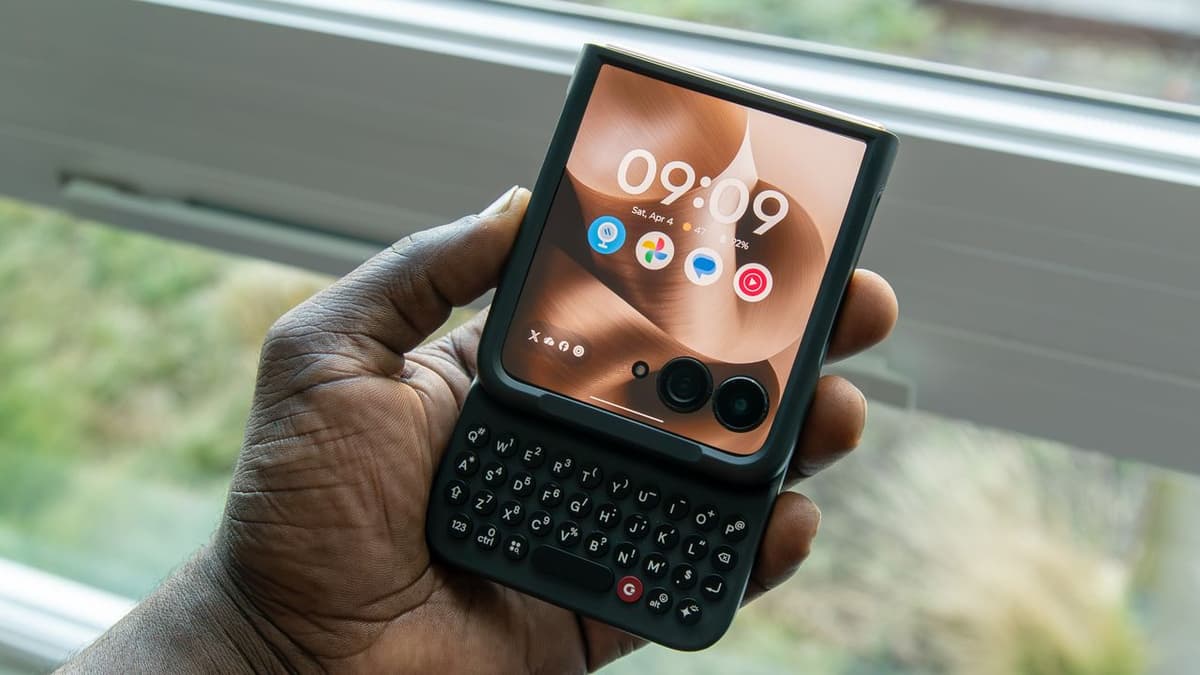
3 Reasons I Love the Clicks Keyboard for Motorola Razr and 3 Things I Don't Like
Companies Mentioned
Why It Matters
The Clicks Keyboard addresses the Razr Ultra’s accessory void, offering productivity gains that could reshape how flip‑phone users interact with their devices. Its mixed reception highlights the trade‑off between novelty and practical ergonomics in niche mobile accessories.
Key Takeaways
- •Clicks Keyboard adds functional case and physical keyboard to Razr Ultra
- •Backlit keys and shortcut combos keep cover screen visible while typing
- •Case provides solid protection but adds noticeable thickness when opened
- •Missing number row slows numeric entry, a common user complaint
- •Physical keyboard speeds up typing for some, but remains slower than swiping
Pulse Analysis
The flip‑phone revival sparked by Motorola’s Razr Ultra 2025 has created a niche market hungry for accessories that preserve the device’s compact charm while enhancing usability. Traditional case makers have struggled to deliver products that meet both protection and functionality standards, leaving a gap that the Clicks Keyboard aims to fill. By integrating a miniature QWERTY layout directly into a protective shell, Clicks offers a tangible solution for users who miss tactile feedback and need efficient text entry without sacrificing the cover‑screen experience.
Beyond its primary role as a keyboard, the Clicks accessory doubles as a robust case, featuring a soft interior lining and a leather‑like exterior that complements the Razr’s premium aesthetic. Backlit keys and a suite of programmable shortcuts—such as Search + B for the browser or Search + Y for YouTube—streamline common tasks, turning the flip phone into a productivity‑focused tool reminiscent of classic BlackBerry devices. The inclusion of a Gemini button for AI assistance further modernizes the experience, bridging nostalgic hardware with contemporary software capabilities.
However, the product isn’t without flaws. The absence of a dedicated number row forces users to toggle a secondary key, slowing numeric entry, while the added bulk makes the phone appear unusually tall when opened. These ergonomic drawbacks have tempered enthusiasm among power users, prompting Clicks to announce the Power Keyboard, which will introduce a number row and refined ergonomics. As the accessory ecosystem for foldable and flip phones matures, iterative improvements like these will be crucial for sustaining consumer interest and expanding the market beyond early adopters.
3 reasons I love the Clicks Keyboard for Motorola Razr and 3 things I don't like
Comments
Want to join the conversation?
Loading comments...