Why It Matters
The features bridge the gap between 2D content and immersive XR, expanding use cases from entertainment to workplace training, and signal Google’s push to make XR a mainstream productivity platform.
Key Takeaways
- •Auto-spatialization converts 2D apps into 3D with one tap
- •Over 100 native XR apps now available, doubling since launch
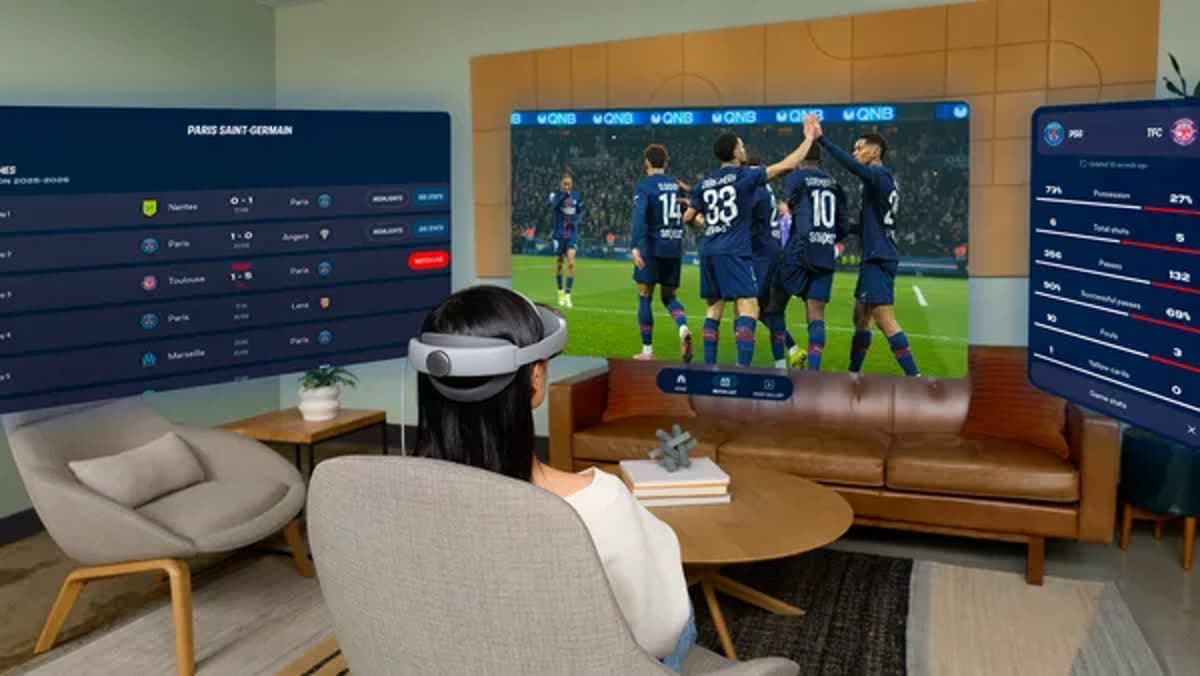
- •Wall-pinning lets users anchor apps to physical surfaces
- •Hand visibility replaces outlines for more natural interaction
- •Session restore automatically reopens apps where you left off
Pulse Analysis
Google’s latest Android XR update marks a pivotal step toward mainstream adoption of mixed‑reality experiences. By introducing auto‑spatialization, users can instantly transform familiar 2D content—such as YouTube videos or web pages—into depth‑rich environments, removing a long‑standing barrier to immersive consumption. Coupled with a rapidly expanding catalog of native XR applications, now exceeding 100 titles, the platform is positioning itself as a hub for both entertainment and creative productivity. These consumer‑focused upgrades are complemented by practical tools like wall‑pinning, which lets users anchor apps to real‑world surfaces, and session‑restore, ensuring a seamless return to ongoing activities.
The hardware‑software synergy is further enhanced by refined hand‑tracking that displays users’ actual hands instead of skeletal outlines, delivering more precise and natural interaction. This tactile fidelity, alongside eye‑tracking and accessibility improvements, narrows the gap between physical and virtual workflows, making tasks such as virtual meetings, design reviews, or immersive gaming feel less like a novelty and more like a daily utility. For creators, the ability to pin productivity apps—calendars, document editors, or streaming services—to a virtual wall creates a customizable, multi‑screen workspace without the need for physical monitors.
Enterprise implications are equally significant. Android Enterprise’s integration enables IT departments to manage Galaxy XR devices at scale, leveraging existing EMM partners like Microsoft Intune and Samsung Knox Manage. This opens doors for immersive training, remote collaboration, and industry‑specific simulations across sectors ranging from manufacturing to healthcare. As organizations explore XR‑enabled workflows, Google’s ecosystem—bolstered by a growing app marketplace and robust device management—positions Android XR as a viable, future‑proof platform for both consumer delight and corporate productivity.
5 new features for Android XR
Comments
Want to join the conversation?
Loading comments...