I Finally Figured Out What Was Eating My Android Storage — and the Culprit Wasn't What I Expected
Companies Mentioned
Why It Matters
Hidden "Other files" can silently consume massive space, forcing users into unexpected storage alerts and limiting device performance. Understanding and managing this category is essential for Android power users and for manufacturers aiming to improve user experience.
Key Takeaways
- •Samsung's "Other files" can hide 20 GB+ of data
- •WhatsApp creates daily encrypted backup files in Uncategorised tab
- •Pending files often consist of .nomedia markers and stuck transfers
- •Clearing app cache recovers 8–10 GB without losing data
- •Manual deletion requires using My Files or app‑specific storage screens
Pulse Analysis
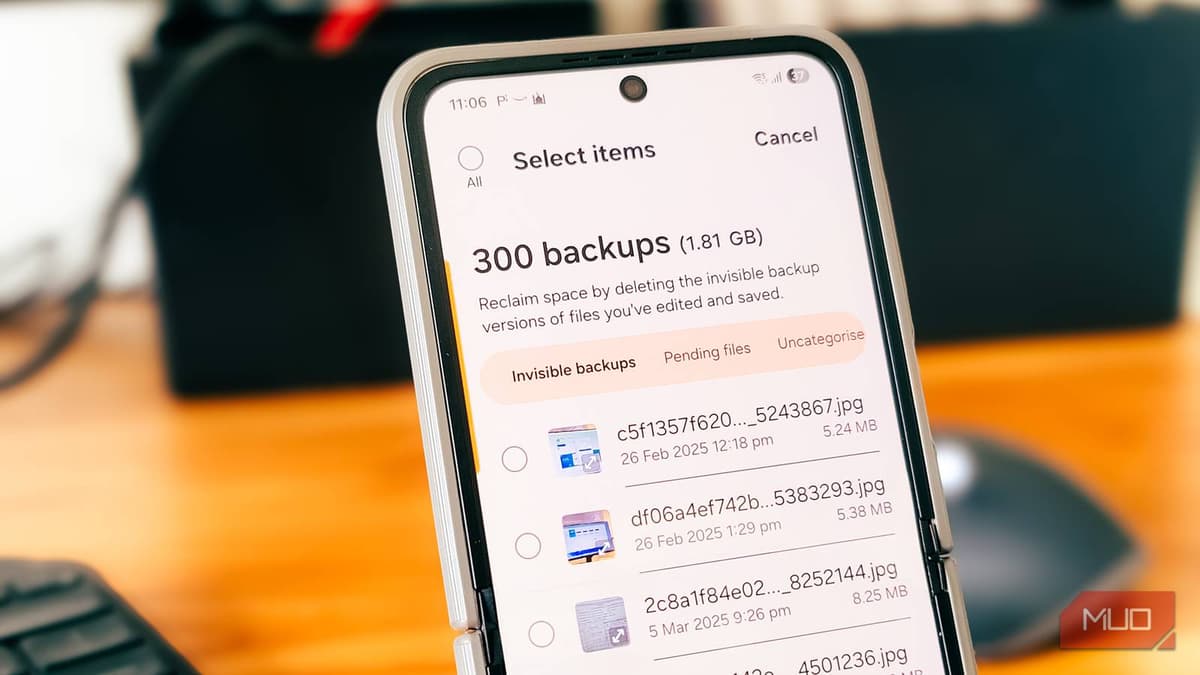
Android devices report storage usage in broad categories—Images, Videos, Audio, Apps, Documents—but a substantial portion often lands in the ambiguous "Other files" bucket. Samsung’s One UI keeps this section concealed until users tap "Show more," then offers three sub‑tabs that reveal invisible backups, pending files, and uncategorised data. This design choice can mislead users into thinking their cleanup routines are effective, while gigabytes of hidden data continue to erode available space, especially on flagship models like the Galaxy Z Flip 6 with its 256 GB capacity.
The bulk of the hidden usage typically stems from app‑generated artifacts. WhatsApp, for example, stores daily encrypted database backups (msgstore‑incr‑*.db.crypt14) in the Uncategorised tab, quickly amassing several gigabytes. Meanwhile, the Pending files tab is populated by .nomedia marker files and incomplete transfers that serve system functions but are rarely needed long‑term. These files are not deletable directly from the storage view; users must locate them via the My Files app or the originating app’s settings, adding friction to the cleanup process. Ignoring these remnants can trigger low‑storage warnings, degrade performance, and even affect app stability.
Effective storage hygiene now requires a two‑pronged approach: regular cache clearing through Settings > Apps and periodic inspection of the "Other files" breakdown. Third‑party storage managers can automate detection of orphaned files, but Samsung would benefit from exposing a more granular UI and a bulk‑delete option for safe categories. For power users, proactively managing WhatsApp backups and reviewing pending files before they accumulate can reclaim up to 10 GB per cycle, extending device longevity and preserving the premium experience expected from high‑end Android smartphones.
I finally figured out what was eating my Android storage — and the culprit wasn't what I expected
Comments
Want to join the conversation?
Loading comments...