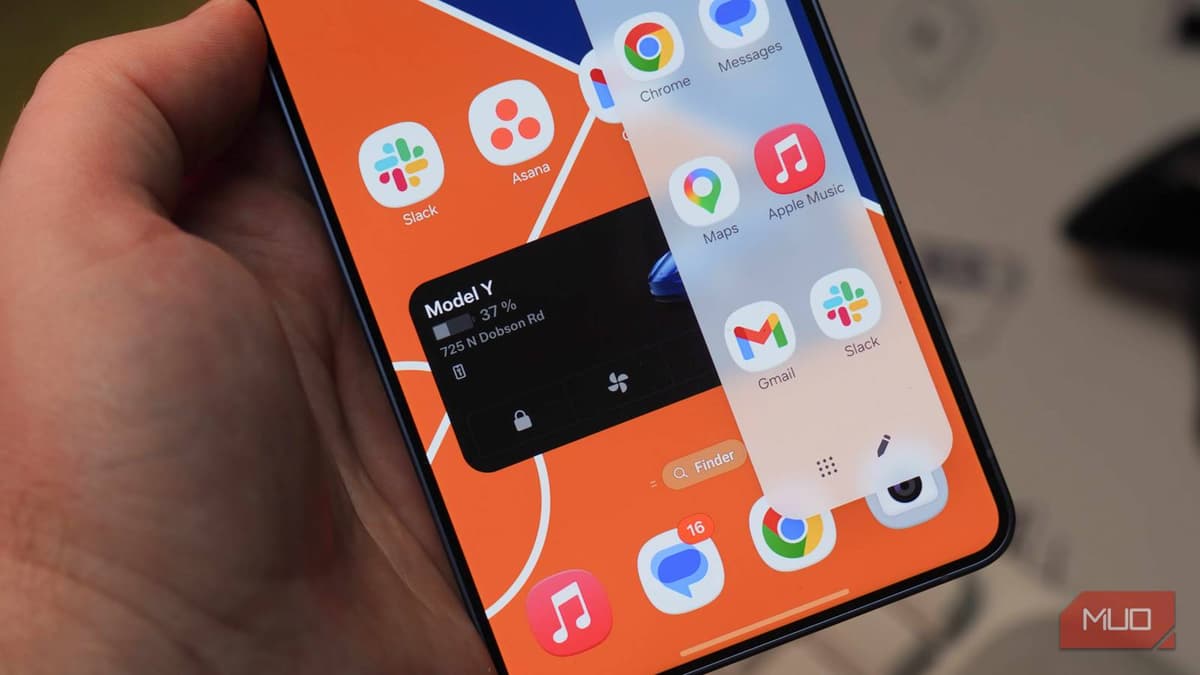
I Turned Samsung's Edge Panel Into the Most Useful Part of My Phone
Companies Mentioned
Why It Matters
The customization turns a hidden Samsung feature into a genuine efficiency tool, raising user productivity and differentiating Android’s UI options from competing platforms.
Key Takeaways
- •Edge Panel can host smart home, payment, and clipboard shortcuts
- •Good Lock's Home Up adds split‑screen and pop‑up launch options
- •Limiting panels to 3‑4 keeps swiping fluid and efficient
- •Browser Quick Links panel provides instant web shortcuts without opening browser
- •App pairs enable one‑tap split‑view for frequent multitasking
Pulse Analysis
Samsung’s Edge Panel has long been marketed as a convenient side‑drawer for favorite apps, yet most users leave it at its factory defaults. In practice, the panel sits idle, offering only a handful of pre‑installed shortcuts that duplicate home‑screen icons. By curating panels around real‑world workflows—such as Ring doorbell alerts, Nest thermostat adjustments, or a dedicated clipboard manager—users can collapse repetitive navigation into a single swipe. This approach aligns with a broader Android trend: empowering power users to sculpt the UI around personal productivity rather than accepting a one‑size‑fits‑all layout.
The real game‑changer arrives with Good Lock’s Home Up module, a developer‑focused add‑on that exposes hidden settings Samsung otherwise keeps behind the scenes. Home Up lets users pack more items onto the panel, scroll through recent apps, and, crucially, dictate how launched apps appear: full screen, split‑screen, or a lightweight pop‑up. For professionals juggling Slack messages while reviewing a spreadsheet, the pop‑up view offers a glance without disrupting the primary task. Additionally, the immersive‑mode handle ensures the Edge Panel remains reachable even in full‑screen video or gaming sessions, preserving its utility across all usage scenarios.
Beyond individual convenience, the Edge Panel’s evolution signals a competitive shift in mobile UI strategy. While iOS leans heavily on widgets, Android OEMs like Samsung are doubling down on modular sidebars that can be tailored to niche workflows. This flexibility not only boosts user retention for Galaxy devices but also encourages third‑party developers to create panel‑specific extensions, expanding the ecosystem. As consumers demand more personalized experiences, features like Edge Panel and Good Lock could become standard expectations, pushing the industry toward deeper, user‑controlled customization.
I turned Samsung's Edge Panel into the most useful part of my phone
Comments
Want to join the conversation?
Loading comments...