The upgrade eliminates the long‑standing single‑app limitation, enabling musicians and producers to run multiple DAWs or plugins simultaneously on Windows. This boosts workflow efficiency and positions Windows as a more competitive platform for professional audio creation.
MIDI has been the lingua franca of digital music production for decades, but Windows users have long suffered from a single‑client bottleneck that forced workarounds like virtual loopback ports. That limitation not only hampered live performance setups but also slowed studio workflows where multiple applications—sequencers, virtual instruments, and effect processors—need concurrent access to a controller. By finally replacing the antiquated MIDI 1.0 stack, Microsoft is addressing a pain point that has lingered since the early days of Windows audio architecture.
The new Windows MIDI Services suite brings a host of technical upgrades. Native support for MIDI 2.0 delivers higher resolution control data and richer expressive capabilities, while the multi‑client endpoint model allows any MIDI device to feed several applications at once. Performance gains are tangible: latency jitter now sits in the low‑microsecond range, and message throughput is uncapped, eliminating the throttling that plagued older APIs. Developers also gain powerful tooling—a command‑line midi.exe, a graphical configuration app, and PowerShell cmdlets—making it easier to script device initialization and integrate MIDI into modern automation pipelines.
For the broader audio industry, this move signals Microsoft’s commitment to courting professional creators and developers. With backward compatibility intact, existing Windows‑based DAWs can adopt the new stack without rewrites, while emerging MIDI 2.0 hardware can be leveraged immediately. The open‑source nature encourages community contributions, potentially accelerating innovation in virtual instruments and cross‑platform collaborations. As the rollout completes, Windows is poised to become a more viable alternative to macOS for music production, live performance, and interactive media applications.
By Brady Snyder · Published Feb 17, 2026, 12:00 PM EST
Brady is a technology journalist for MakeUseOf with years of experience covering all things mobile, computing, and general tech. He focuses on Android phones and audio gear, and holds a B.S. in Journalism from St. John’s University. He has written for publications like Android Central, Android Authority, XDA, Android Police, iMore, and others. When he’s not writing about and testing the latest gadgets, you’ll find him watching Big East basketball and running.
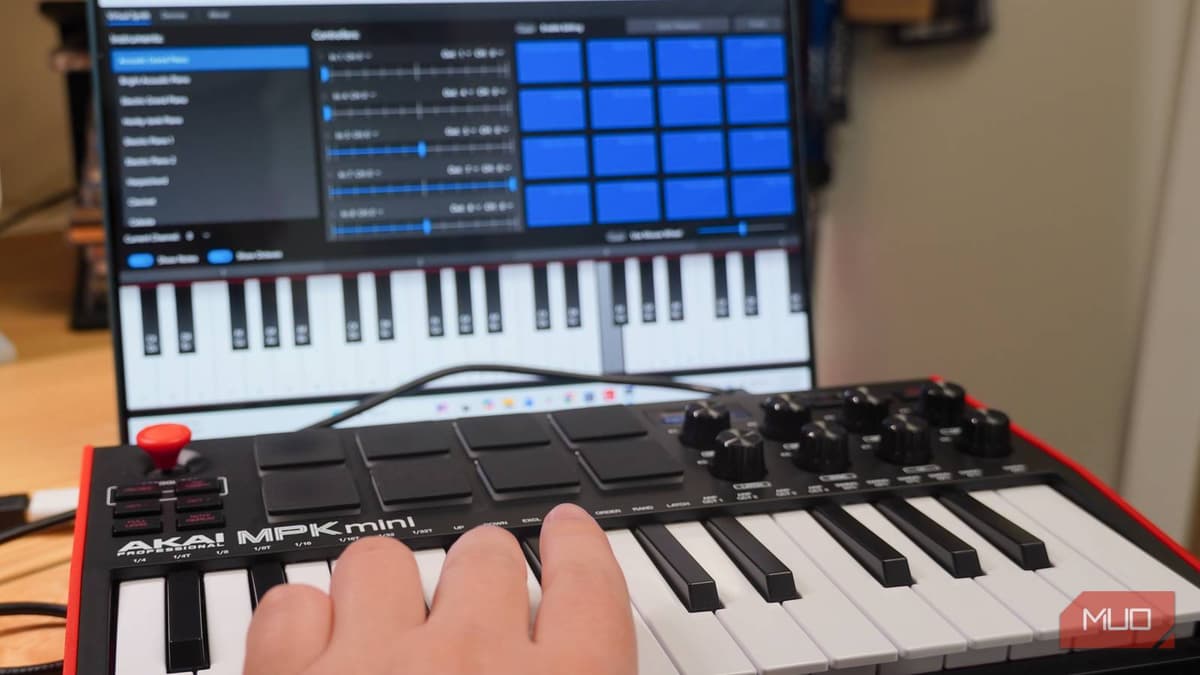
Windows 11 is built on a few legacy formats and APIs that come with persistent problems. For years, Windows versions relied on MIDI 1.0 technology, which meant that only one application could use a MIDI device at a time. MIDI stands for Musical Instrument Digital Interface, and it’s the backbone of hardware devices called MIDI controllers—keyboards, instruments, DJ equipment, synthesizers, and more. It’s entirely reasonable to want to use a MIDI controller with multiple applications, but Windows is only just solving that problem.
Microsoft is slowly rolling out support for a new Windows MIDI Services suite. It’s a new MIDI stack that adds support for MIDI 2.0, upgrades MIDI 1.0 functionality, and crucially makes every endpoint multi‑client. Yes, that means multiple apps can finally receive data from a single MIDI device at the same time. Windows MIDI Services is a major upgrade that retains backwards compatibility with older APIs, and it’s completely open‑source. If you’ve ever been frustrated by how Windows 11 still handles MIDI controllers, you’ll be happy to know that the solution is finally coming.

Credit: Brady Snyder / MakeUseOf
Up until extremely recent versions of Windows, the operating system had a major audio limitation: only one application could use a MIDI hardware device (like a controller or instrument) at a time. For decades, power users needed to take extreme steps to use their MIDI hardware with multiple apps simultaneously.
One workaround for Windows 7 and Windows 11 was to create virtual loopback MIDI ports that could be shared with each individual app. Software projects like loopMIDI utilize virtual‑MIDI drivers to make the extra ports and trick Windows apps into thinking one MIDI hardware input was actually multiple. Still, it felt like an annoying workaround for MIDI users on Windows that persisted as the operating system developed.
Windows MIDI Services started making its way to Windows 11 users via the Release Preview channel in January 2026, and it’s arriving through a gradual rollout. The in‑box components for Windows MIDI Services are reaching retail versions of Windows now through the standard Windows Update process. It will take about 30 days for the rollout to complete and all features to be enabled, according to the GitHub release.
Key features of Windows MIDI Services
No need for third‑party USB drivers in most cases – Most USB MIDI 1.0 devices are class‑compliant and will work without third‑party drivers.
Supports your existing apps – The existing WinMM and WinRT MIDI 1.0 APIs have been repointed to the new Windows Service, providing multi‑client support while keeping apps functional.
Multi‑client by default – Any endpoint (including MIDI 1.0 devices) can be used by multiple applications at the same time.
Supports your existing devices – Works with MIDI 1.0 devices you already own, as well as class‑compliant MIDI 1.0 and MIDI 2.0 devices.
Faster – The new infrastructure sends and receives messages much faster than the older API, with no built‑in speed caps or throttling.
Lower jitter – Latency jitter is in the low‑microsecond range, varying by transport type (USB, network, virtual).
More deterministic – Outbound messages can be timestamp‑scheduled; inbound messages are timestamped on receipt.
App‑to‑App and virtual device MIDI – Built‑in virtual/app‑to‑app MIDI 2.0 enables lightning‑fast communication between apps on the PC.
Better tools – The midi.exe console lets developers and power users monitor endpoints, send/receive messages, and capture SysEx data. A GUI app provides device renaming, configuration, testing, and more.
Built‑in scripting – PowerShell cmdlets allow automation of device initialization, synchronization, and other tasks.
To save you some time, Windows MIDI Services adds support for MIDI 2.0, multi‑client connections, and better overall performance. It’s more complicated than that, but put simply, this is the MIDI upgrade users have wanted for years.

Credit: Brady Snyder / MakeUseOf
After the rollout begins, you can install the SDK and Tools runtime package, available here. Be sure to install the version that matches your Windows 11 build— the runtime for Windows 11 24H2 and 25H2 won’t be available until later this month. Because the public rollout will take time and only half of Insider build users will get Windows MIDI Services early, there’s no guarantee it will be available on your machine right now.
However, in just a few short weeks, Windows 11 will have fixed a longtime Windows audio problem affecting MIDI devices—and that’s something to be excited about.
Comments
Want to join the conversation?
Loading comments...