Something Was Slowing My PC Down Silently — This Free Tool Caught It in Real Time
Why It Matters
Thermal throttling silently degrades performance, so visibility into hardware temperatures is critical for maintaining productivity and gaming experiences. HWiNFO gives users the data needed to diagnose and fix heat‑related slowdowns that built‑in Windows tools miss.
Key Takeaways
- •HWiNFO reveals thermal throttling invisible to Task Manager
- •CPU throttles above ~90 °C, dropping clock speeds and FPS
- •Dust cleaning and airflow upgrades cut temperatures dramatically
- •Undervolting can further reduce heat without sacrificing stability
Pulse Analysis
Thermal throttling has become a hidden performance bottleneck for modern PCs, especially as CPUs and GPUs push higher clock speeds. While Windows Task Manager excels at showing resource utilization, it lacks temperature readings and cannot indicate when the silicon is self‑regulating to avoid damage. This gap leaves users puzzled when applications lag despite low CPU and memory usage. Understanding that hardware can autonomously lower its frequency when heat exceeds thresholds is essential for anyone troubleshooting unexplained slowdowns.
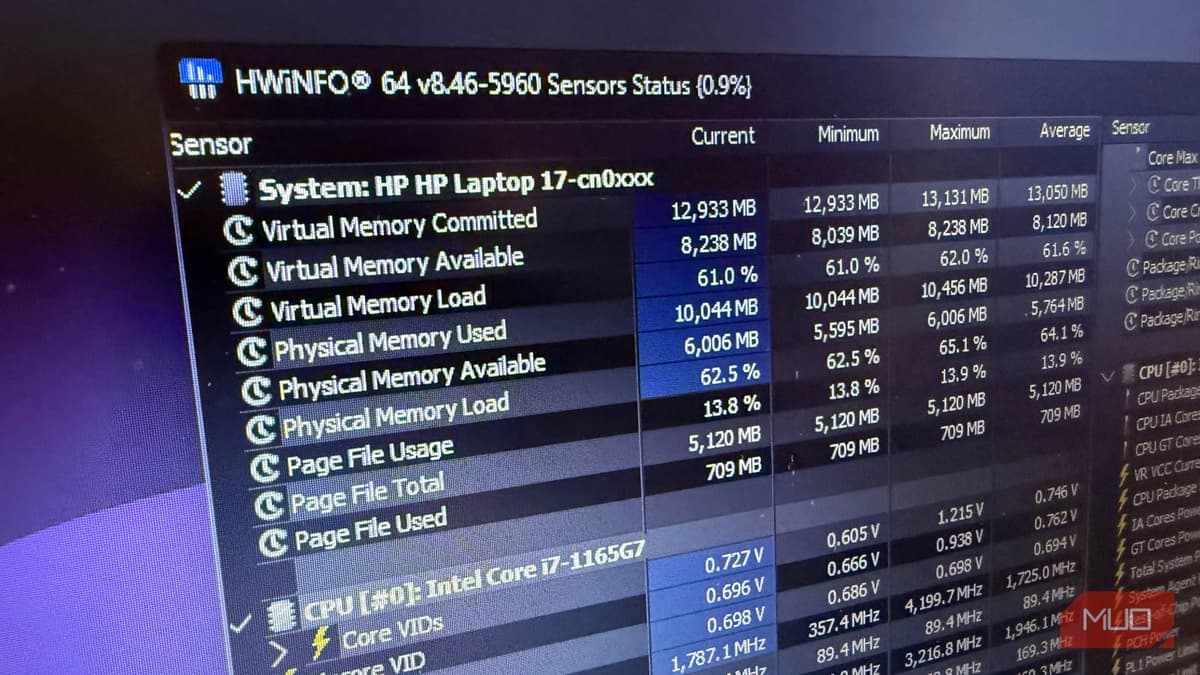
Enter HWiNFO, a free, portable monitoring suite that fills the data void left by native tools. In its sensors‑only mode, HWiNFO streams live metrics such as core temperatures, clock speeds, and dedicated throttling flags with negligible overhead. The utility also highlights GPU hotspot temperatures, offering a more accurate picture of GPU stress than average temperature readings. By correlating these readings with FPS drops or export times, users can pinpoint the exact moments heat forces the processor to back off, turning guesswork into actionable insight.
Armed with precise thermal data, remediation becomes straightforward. Simple steps like removing dust, optimizing case airflow, or reapplying thermal paste can slash temperatures by 10‑15 °C, often eliminating throttling entirely. For power‑constrained laptops, undervolting the CPU provides a software‑level temperature buffer without sacrificing stability. These fixes not only restore expected performance but also extend component lifespan. As PCs continue to densify, tools like HWiNFO will be indispensable for proactive thermal management, ensuring that hardware operates at its full potential.
Something was slowing my PC down silently — this free tool caught it in real time
Comments
Want to join the conversation?
Loading comments...