Stop Swiping Away Android Notifications — There's a Smarter Way to Deal with Them
Companies Mentioned
Why It Matters
By preventing important alerts from being permanently dismissed, these native features improve productivity and support better digital‑wellbeing for both consumers and enterprise users.
Key Takeaways
- •Notification snoozing hides alerts, returns them after set interval
- •Feature disabled by default; enable via Settings → Notifications
- •Samsung and Pixel use different toggle paths for snooze
- •Notification history logs past 24 hours of dismissed alerts
- •Home‑screen widget provides instant access to notification history
Pulse Analysis
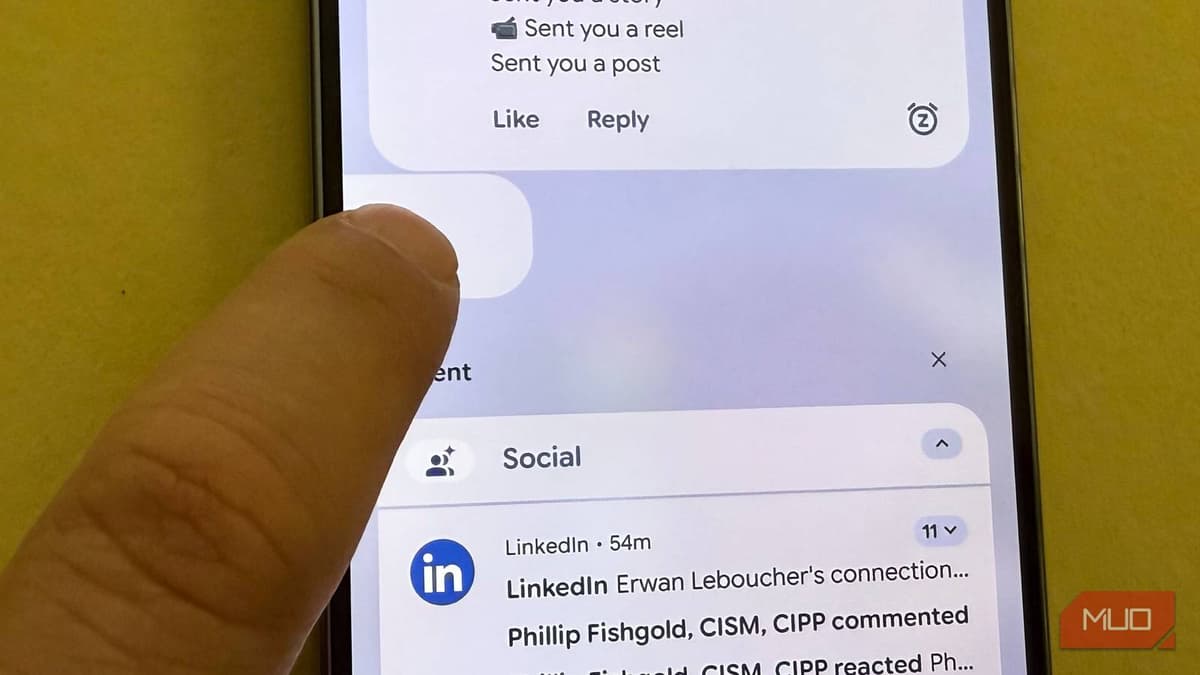
The modern smartphone has become a constant stream of alerts, and Android users often find themselves swiping away notifications without a second thought. While convenient, this habit can lead to missed deadlines, forgotten messages, and overall cognitive overload. Android’s native notification snoozing, introduced in recent OS versions, offers a simple solution: tap a small alarm‑clock icon to hide a notification and have it reappear after 15, 30, or 60 minutes—mirroring the familiar snooze function of an alarm clock. Because the feature is off by default, many users never discover it, but enabling it requires only a few taps in the Settings menu.
Enabling snoozing differs slightly between manufacturers. Samsung Galaxy phones route users through Settings → Notifications → Advanced Settings → Show Snooze Button, while Pixel devices use Settings → Notifications → Allow notification snoozing. Once active, the snooze icon appears on each incoming alert, giving users the flexibility to prioritize tasks without losing context. Complementary to snoozing, Android’s notification history records every dismissed notification for roughly 24 hours, accessible via Settings → Notifications → Notification History. Adding a home‑screen widget for this history streamlines access, letting users retrieve forgotten alerts without navigating deep menus.
For businesses, these tools translate into measurable productivity gains. Employees can defer low‑priority alerts during focused work periods, reducing context‑switching costs, while still ensuring critical messages surface at a convenient time. Moreover, the built‑in nature of these features sidesteps the security and privacy concerns associated with third‑party notification managers. As digital‑wellbeing becomes a strategic priority, leveraging Android’s snoozing and history capabilities positions both individuals and organizations to manage interruptions more intelligently, fostering a healthier relationship with technology.
Stop swiping away Android notifications — there's a smarter way to deal with them
Comments
Want to join the conversation?
Loading comments...