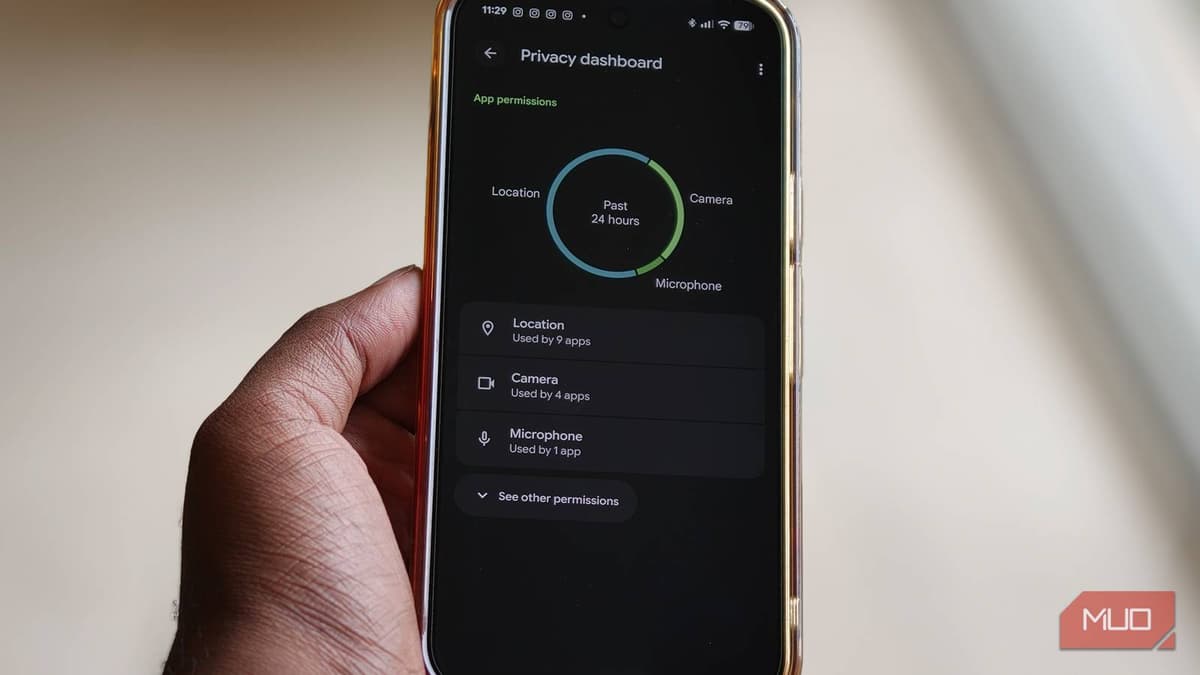
The Built-In Android Tool that Shows You Exactly Which Apps Are Watching You
Why It Matters
By exposing real‑time permission usage, the dashboard forces apps to justify data access, boosting user privacy and reinforcing trust in the Android ecosystem amid tightening global data‑protection laws.
Key Takeaways
- •Privacy Dashboard displays exact timestamps for each app permission use
- •Users can revoke unnecessary location, camera, or microphone access instantly
- •30‑minute audit can uncover dozens of forgotten permissions
- •Feature varies by Android skin but searchable via Settings
Pulse Analysis
The Android Privacy Dashboard marks a shift from static permission lists to dynamic, time‑stamped visibility. Instead of a simple yes‑or‑no toggle, users now see a chronological log that pinpoints when an app touched the microphone, accessed the camera, or queried their location. This granular insight mirrors similar moves by Apple’s App Privacy Report, but Android’s open‑source roots make the data more actionable for a broader range of devices. For privacy‑conscious consumers, the dashboard turns abstract consent into concrete evidence, encouraging more deliberate permission management.
For developers, the dashboard raises the stakes on permission justification. Under GDPR, CCPA, and emerging state‑level privacy statutes, unnecessary data collection can trigger regulatory scrutiny and erode brand reputation. The ability for users to instantly revoke access means that any over‑reaching permission request is likely to be trimmed, pushing developers toward a least‑privilege model. App stores may soon surface dashboard usage metrics as a quality signal, rewarding apps that maintain clean permission histories with higher visibility in search results.
Practically, users can audit their devices in under five minutes by navigating to Settings → Security and privacy → Privacy Dashboard, then drilling into each permission category. Regular “privacy spring‑cleaning” helps prevent data bloat, reduces battery drain, and safeguards against inadvertent leaks. Looking ahead, Google is expected to layer AI‑driven recommendations on top of the dashboard, suggesting permission revocations based on usage patterns. Staying proactive now positions users and enterprises to reap the benefits of these forthcoming enhancements.
The built-in Android tool that shows you exactly which apps are watching you
Comments
Want to join the conversation?
Loading comments...