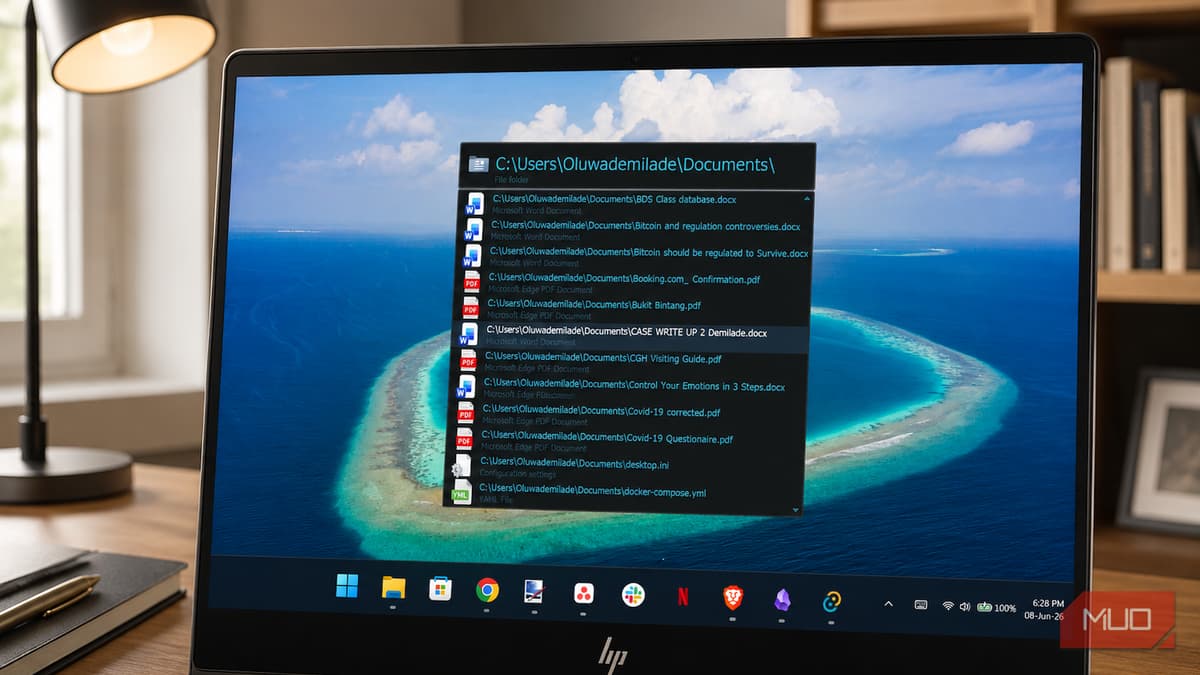
This Free Windows Launcher Makes the Start Menu Completely Irrelevant
Companies Mentioned
Why It Matters
Executor shows how open‑source, keyboard‑centric tools can boost productivity by minimizing mouse navigation, but widespread adoption depends on trust signals and modern user experience.
Key Takeaways
- •Executor uses global hotkeys and custom aliases for instant actions.
- •v2.3.7 adds auto‑calc, clipboard manager, and Input Assist.
- •Expired code‑signing certificate triggers SmartScreen warnings for new installs.
- •UI mimics early‑2000s Windows, lacking modern polish.
- •Competes with PowerToys Run, Flow Launcher, Ueli for Windows launchers.
Pulse Analysis
Keyboard‑first launchers have become a staple for power users seeking to cut the latency of mouse‑driven navigation. Executor, a free MIT‑licensed tool maintained by Otto Allmendinger, embodies this philosophy by letting users bind any command—applications, folders, system actions or web searches—to a short alias invoked with a global hotkey. 7, expands the core feature set with auto‑detected calculations, an Input Assist pop‑up that suggests keywords on Ctrl+Space, and a built‑in clipboard manager that supports regular‑expression transforms. These additions turn routine tasks that normally require the Control Panel or command prompt into a single keystroke.
Despite its speed and extensibility, Executor faces two practical hurdles that can limit mainstream adoption. First, the installer is flagged by Windows SmartScreen because the developer’s code‑signing certificate has expired, prompting security warnings that many corporate IT policies block outright. Second, the configuration dialogs retain a Windows XP aesthetic, lacking the sleek, dark‑mode‑compatible interfaces users expect from modern utilities. Competitors such as Microsoft’s PowerToys Run, Flow Launcher, and the cross‑platform Ueli offer comparable functionality with polished UI and automatic certificate renewal, making them attractive alternatives for less‑technical users.
The open‑source nature of Executor means the community can address these shortcomings without waiting for a commercial vendor. A renewed code‑signing certificate, contributed UI skins, or a web‑based settings manager could close the trust gap while preserving the tool’s low‑memory footprint. As Windows continues to integrate more AI‑driven search features, a lightweight, keyboard‑centric launcher may serve as a complementary layer for users who prefer deterministic, scriptable shortcuts over natural‑language queries. For enterprises focused on productivity and security, supporting a vetted version of Executor could provide a cost‑free alternative to proprietary launchers while reinforcing a culture of keyboard efficiency.
This free Windows launcher makes the Start menu completely irrelevant
Comments
Want to join the conversation?
Loading comments...