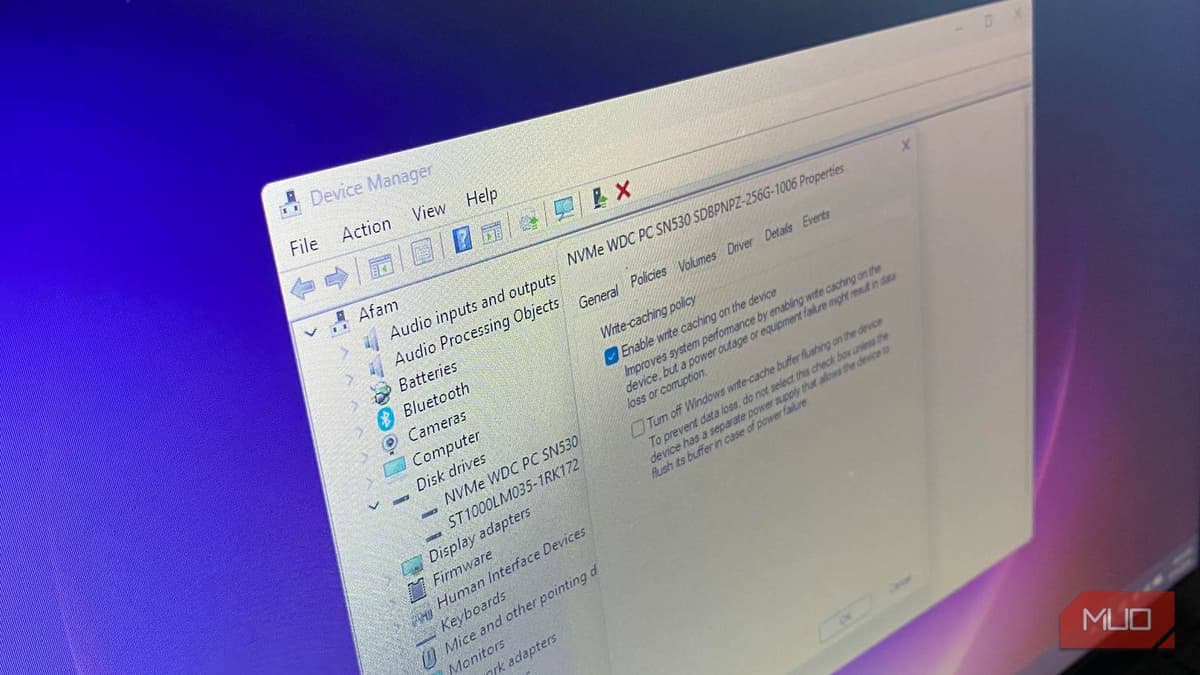
This Hidden Windows Setting Is Slowing Down Your SSD — Here’s the Fix
•February 24, 2026
0
Why It Matters
Enabling better performance reduces latency for everyday tasks, boosting productivity without hardware upgrades. It also shows how OS-level settings can bottleneck modern SSD capabilities, a critical consideration for IT admins and power users.
Key Takeaways
- •Windows default "Quick removal" limits SSD write caching.
- •Switching to "Better performance" speeds small, frequent writes.
- •NVMe drives benefit similarly; SATA shows larger latency gains.
- •External USB SSDs should keep Quick removal for safety.
- •Disabling write‑cache buffer flushing risks data loss on power failure.
Pulse Analysis
Modern SSDs rely on multi‑level caching to bridge the speed gap between the host interface and NAND flash. A drive’s DRAM or SLC cache absorbs incoming data, then commits it to permanent storage in the background. Windows treats a write as complete either when the SSD acknowledges receipt (cache‑level) or when the data is fully written to NAND (flash‑level). The default "Quick removal" policy forces the latter, prioritizing data safety at the expense of latency, especially for random, small‑file workloads that dominate everyday computing.
When the policy is switched to "Better performance," Windows permits cache‑level acknowledgment, letting the OS move on as soon as the SSD’s internal buffer accepts the data. This change dramatically reduces I/O wait times for tasks such as software installations, system updates, and frequent file saves. SATA SSDs, with lower native bandwidth, exhibit the most noticeable speed gains, while NVMe drives also benefit despite their higher throughput. Users often misattribute sluggishness to hardware degradation, overlooking this simple configuration tweak that can restore snappy responsiveness without any physical upgrade.
However, the performance boost comes with a trade‑off. Aggressive caching increases the window where power loss could corrupt unwritten data, making the setting unsuitable for removable media that may be unplugged abruptly. For external USB SSDs and HDDs, retaining "Quick removal" remains prudent. IT administrators should also review related power‑plan settings—such as PCIe link power management—that can re‑introduce latency on laptops. By first adjusting the Windows storage policy, most users can achieve measurable speed improvements while maintaining appropriate data‑loss safeguards.
This hidden Windows setting is slowing down your SSD — here’s the fix
0
Comments
Want to join the conversation?
Loading comments...