This Samsung App Gave Me a Reason to Stop Using Gesture Navigation
Companies Mentioned
Why It Matters
It shows that OEMs can extend Android’s default UI, giving power users flexibility and potentially slowing the shift toward gesture‑only navigation.
Key Takeaways
- •NavStar lets users add two custom shortcut buttons to the bar
- •Height and spacing can be trimmed to save screen real estate
- •Icons and order are fully customizable, breaking the static triangle‑circle‑square
- •Temporary lock keeps the bar visible during intensive tasks
- •Good Lock ecosystem centralizes Samsung’s UI tweaks for power users
Pulse Analysis
Since Android 9, Google has nudged users toward full‑screen gesture navigation, arguing that it frees valuable screen space and feels more fluid. The legacy three‑button bar—back, home, recent—remains familiar but is often criticized for consuming real estate and offering limited functionality beyond basic navigation. While many manufacturers have adopted swipe‑based gestures, a sizable segment of users still prefers the tactile certainty of dedicated buttons, especially on larger displays where accidental swipes can be problematic. The tension between convenience and control has left a gap that third‑party tweaks have tried to fill, but few have offered a native‑level solution.
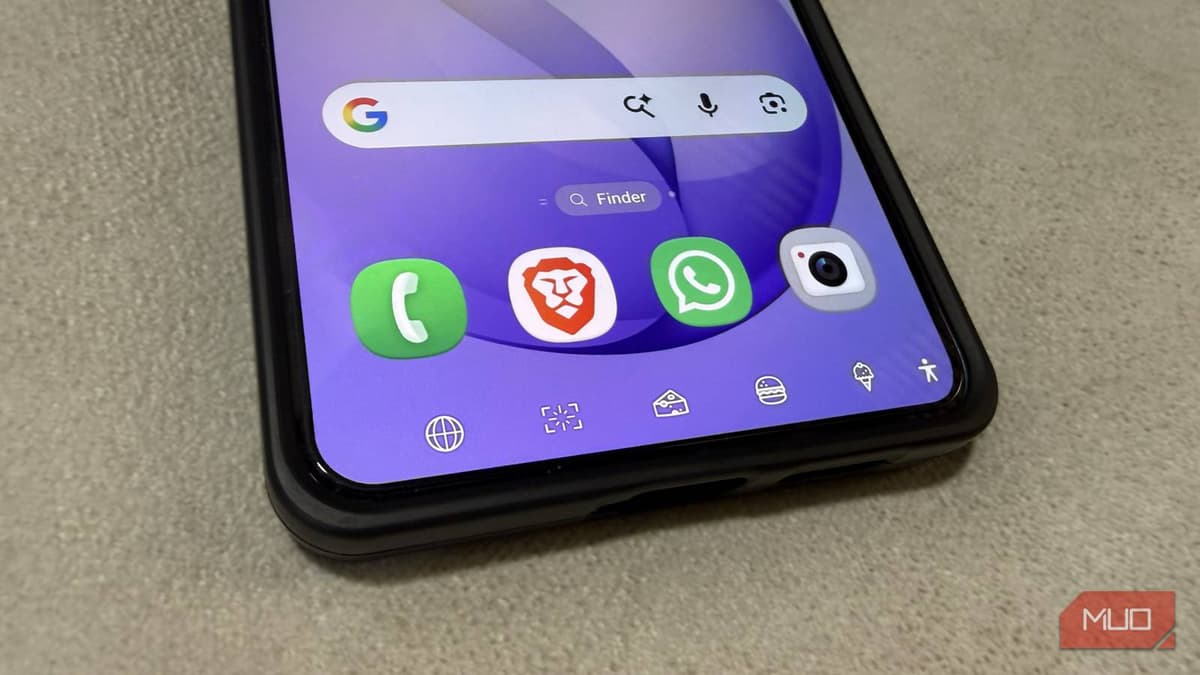
Enter Samsung’s NavStar, a module of the Good Lock customization suite. NavStar lets users reorder the back, home, and recent icons, replace the default shapes with personalized graphics, and shrink the bar’s height to reclaim pixels. Most notably, it adds two user‑defined shortcut slots that can launch apps, trigger screenshots, adjust volume, or control media playback—all with a single tap. A temporary lock feature keeps the bar anchored during intensive tasks, then hides it automatically, blending the best of both worlds. Early adopters report faster access to daily actions and a more ergonomic one‑hand experience.
NavStar’s reception signals a broader opportunity for OEMs to differentiate Android experiences without fragmenting the ecosystem. By exposing deeper UI controls, Samsung not only strengthens its Good Lock brand but also pressures Google to reconsider the rigidity of its navigation framework. If other manufacturers follow suit, we could see a resurgence of hybrid navigation models that let users toggle between gestures and a highly customized button bar. For enterprise deployments, such flexibility could translate into productivity gains, while developers may need to account for variable navigation layouts in app design.
This Samsung app gave me a reason to stop using gesture navigation
Comments
Want to join the conversation?
Loading comments...