This Third-Party Task Manager Is so Much Better than Windows Task Manager
•March 1, 2026
0
Why It Matters
By providing historical metrics and granular control, AppControl helps users troubleshoot faster and improve endpoint security, raising the baseline for system‑monitoring tools.
Key Takeaways
- •AppControl records three days of performance data.
- •Includes Disable option to permanently block processes.
- •Offers privacy alerts for camera, microphone, location usage.
- •Allows blocking apps by publisher.
- •Free, ad‑free utility with modern UI.
Pulse Analysis
Windows Task Manager has been the default utility for monitoring CPU, memory, and disk activity for decades, but its real‑time‑only view and lack of historical data limit troubleshooting efficiency. As workstations handle increasingly complex workloads, administrators and power users demand tools that can capture trends, flag anomalies, and provide actionable insights without digging into Event Viewer. The market has responded with a wave of third‑party managers that blend performance analytics with user‑friendly interfaces, positioning themselves as essential complements—or replacements—for the built‑in tool.
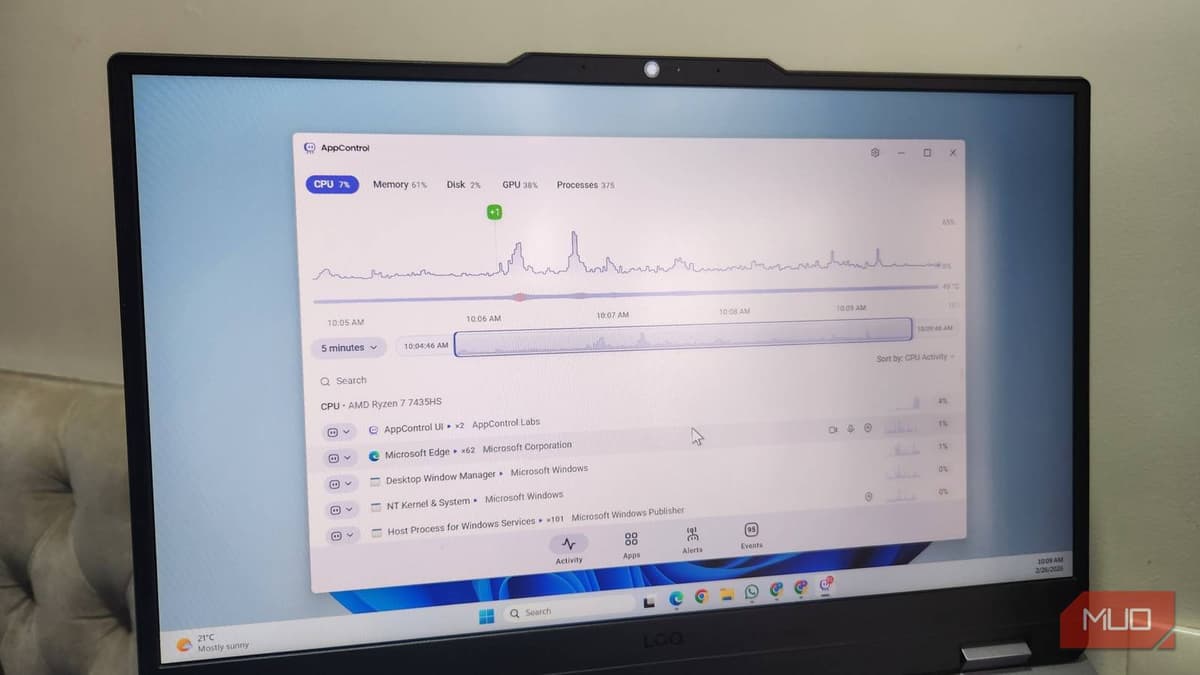
AppControl distinguishes itself by storing a three‑day performance timeline that can be scrubbed to pinpoint spikes in CPU, GPU, RAM, or disk usage. Its “Kill” and “Disable” actions go beyond the simple End Task button, allowing users to permanently prevent unwanted processes or block entire publishers. Integrated privacy alerts notify users whenever an application accesses the camera, microphone, or location, and customizable quiet‑hours keep interruptions to a minimum. All of these capabilities are delivered in a clean, ad‑free UI that requires no licensing fees.
The combination of historical metrics, granular process control, and privacy monitoring makes AppControl a compelling option for both home users and enterprise IT departments seeking tighter security hygiene. By surfacing hidden resource drains and unauthorized sensor usage, it can reduce downtime and mitigate data‑exposure risks. As organizations increasingly prioritize endpoint visibility, free tools like AppControl may pressure Microsoft to enhance Task Manager or integrate similar features natively. Early adoption could drive broader awareness of process‑level governance and set new expectations for system‑utility standards today.
This third-party Task Manager is so much better than Windows Task Manager
0
Comments
Want to join the conversation?
Loading comments...