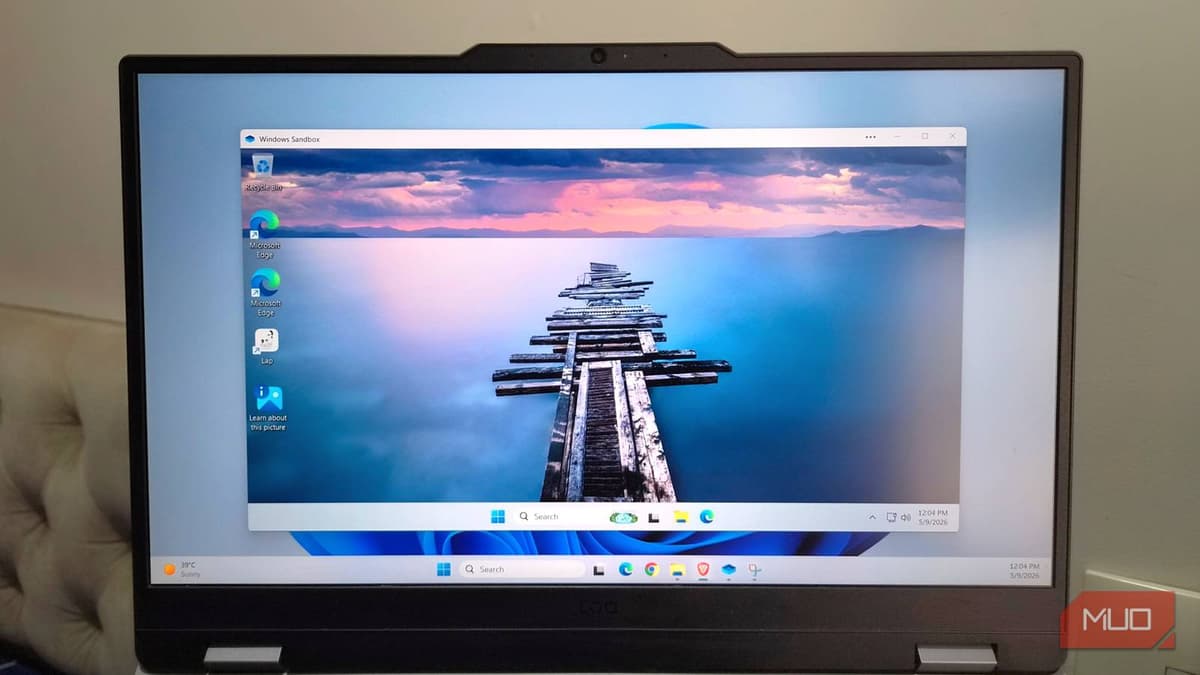
Windows 11 Pro Has a Disposable PC Hidden Inside It, and I Wish I’d Used It Sooner
Companies Mentioned
Why It Matters
Sandbox gives enterprises and power users a zero‑risk platform for testing potentially malicious software and configuration changes, strengthening security posture while reducing IT overhead. Its ease of use accelerates development and troubleshooting cycles, delivering tangible productivity gains.
Key Takeaways
- •Sandbox provides a fresh Windows environment for each session
- •Enables safe testing of unknown executables without affecting the host
- •Runs using built‑in virtualization, no separate OS installation required
- •Activates via Windows Features; requires Pro edition, 4 GB RAM, VT‑X
- •Ideal for developers, IT admins, and security analysts testing changes
Pulse Analysis
Windows 11 Pro’s Sandbox is more than a novelty; it’s a lightweight, hyper‑visor‑backed container that launches a full Windows desktop in seconds. By borrowing core system files from the host, it avoids the storage and licensing overhead of traditional virtual machines while still delivering hardware‑level isolation through VT‑X or AMD‑V. The result is a disposable PC that mirrors the host’s OS version, complete with Edge, PowerShell, and the Registry Editor, but operates in a sealed environment that self‑destructs on exit.
For security teams and developers, the sandbox eliminates the fear factor associated with opening unknown executables or experimenting with risky registry tweaks. Malware analysts can observe payload behavior without contaminating the primary workstation, and DevOps engineers can validate installation scripts before rolling them out enterprise‑wide. Because each session starts from a pristine state, there’s no need to manage snapshots or revert points, streamlining the test‑and‑learn loop and freeing up storage that would otherwise be consumed by VM images.
Adoption hinges on a few prerequisites: Windows 11 Pro, a compatible CPU with virtualization support, and at least 4 GB of RAM. While these requirements are modest for most business laptops, they do exclude Home edition users and older hardware. Looking ahead, Microsoft is positioning Sandbox as a cornerstone of its broader Zero‑Trust strategy, complementing features like Windows Defender Application Guard and Secure Boot. As enterprises prioritize rapid, secure experimentation, the built‑in sandbox offers a cost‑effective, native solution that aligns with modern IT agility demands.
Windows 11 Pro has a disposable PC hidden inside it, and I wish I’d used it sooner
Comments
Want to join the conversation?
Loading comments...