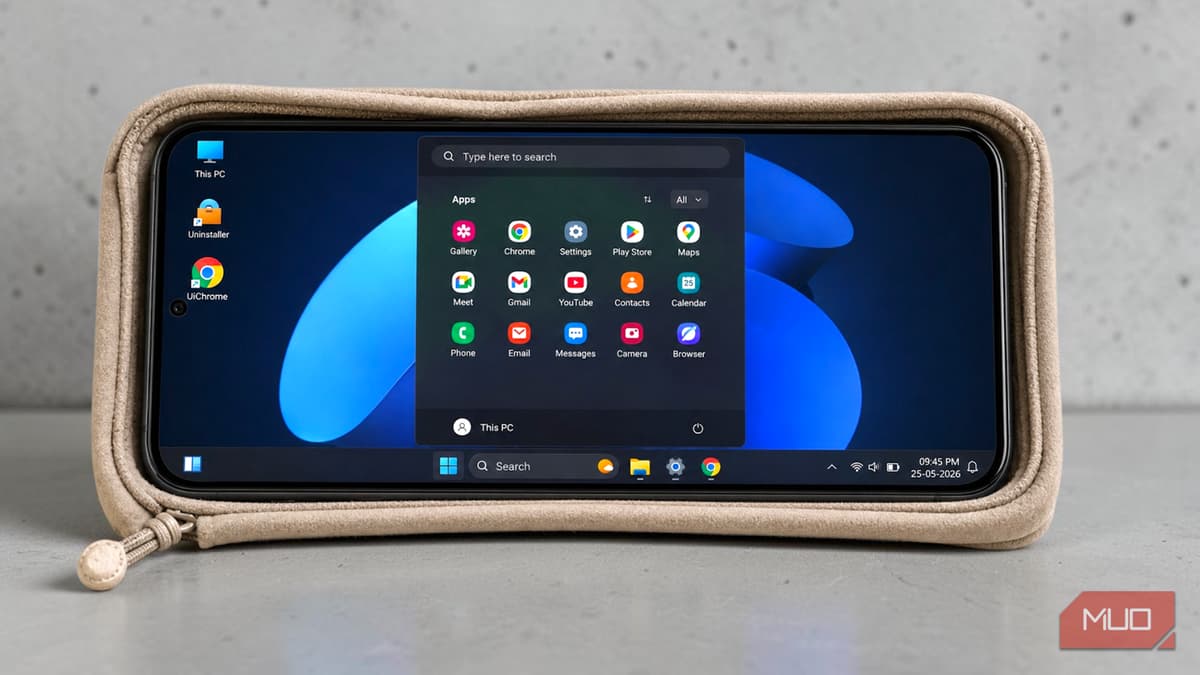
Your Android Has Been a PC This Whole Time — You Just Didn't Have the Right Launcher
Companies Mentioned
Why It Matters
By offering a desktop experience without rooting or virtualization, HyperDroid expands productivity options for power users and showcases the growing convergence of mobile and PC interfaces. Its low‑cost model could pressure traditional OS vendors to rethink mobile UI strategies.
Key Takeaways
- •HyperDroid mimics Windows 11 UI on Android via a launcher.
- •Works best on tablets or large-screen devices due to landscape layout.
- •Supports mouse/keyboard input and Chromium‑based UiChrome browser.
- •Free version available; premium unlocks additional customization.
Pulse Analysis
The appetite for desktop‑style environments on smartphones has surged as users seek more versatile productivity tools on a single device. Android’s open ecosystem has fostered a wave of launchers that re‑skin the home screen, but most stop at cosmetic tweaks. HyperDroid pushes the envelope by recreating the Windows 11 desktop layout, complete with a taskbar, Start menu and windowed multitasking, catering to professionals who already juggle multiple operating systems and crave a familiar interface on the go.
HyperDroid’s implementation hinges on its launcher architecture, allowing it to overlay a Windows‑like shell without altering the underlying Android OS. Its built‑in UiChrome browser, based on Chromium, delivers standard desktop features such as translation and PWA pinning, while the widget panel taps directly into Android’s native widget ecosystem. The launcher shines when paired with external peripherals—Bluetooth keyboards, mice, or USB‑C hubs—turning a large‑screen phone or tablet into a functional desktop surrogate. However, the forced landscape orientation and UI scaling can feel cramped on smaller phones, and native Android apps still launch in their original portrait mode, reminding users that the experience is a sophisticated costume rather than a full OS transformation.
For the broader market, HyperDroid signals that the distinction between mobile and PC is eroding, prompting OEMs and OS developers to consider hybrid interfaces. Its freemium model lowers the barrier to entry, potentially accelerating adoption among remote workers and students who need lightweight desktop capabilities without additional hardware. Competitors may respond with deeper integration or native support for windowed multitasking, nudging the industry toward a more unified computing experience across form factors.
Your Android has been a PC this whole time — you just didn't have the right launcher
Comments
Want to join the conversation?
Loading comments...