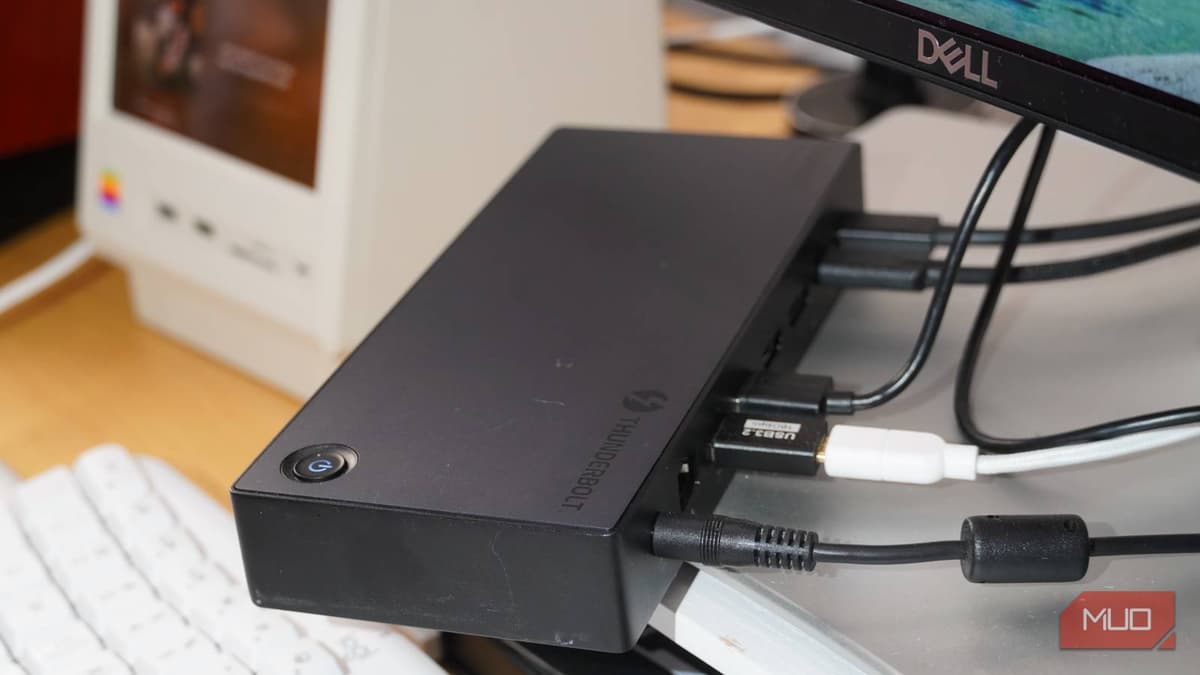
I Use a Thunderbolt Dock without a Laptop, and It’s More Useful than You’d Think
Companies Mentioned
Why It Matters
Thunderbolt docks extend the limited I/O of compact desktops, enabling high‑performance, multi‑peripheral setups without sacrificing desk aesthetics. This capability broadens the appeal of mini PCs for professional creators and remote workers who need desktop‑level reliability with laptop‑style flexibility.
Key Takeaways
- •Ugreen Revodok Max 313 offers 13 ports via single Thunderbolt
- •Dock supplies 60 W Power Delivery, enabling fast charging for laptops
- •Supports single 8K or triple 4K displays, ideal for creators
- •Consolidates cables, keeping Mac Mini and mini PC rear‑port clean
- •One‑cable switch between macOS and Windows desktops simplifies workflow
Pulse Analysis
Thunderbolt 4 docking stations have moved beyond laptop accessories to become essential hubs for desktop power users. Compact machines like the Mac Mini or mini‑PCs often sacrifice rear‑panel connectivity for size, leaving only a handful of USB‑C or USB‑A ports. A single Thunderbolt connection can bridge that gap, delivering up to 40 Gbps data rates, 60 W power delivery, and support for multiple high‑resolution displays. This convergence reduces the need for daisy‑chained adapters, streamlines cable management, and future‑proofs workstations as peripheral demands grow.
The Ugreen Revodok Max 313 exemplifies the premium tier of Thunderbolt docks. Its 13‑in‑1 layout includes HDMI/DisplayPort, USB‑A, USB‑C, Ethernet, SD and microSD slots, and an audio jack, all powered by an external supply that feeds 60 W to the host. The dock can drive a single 8K monitor or three 4K screens, making it attractive to video editors, photographers, and musicians who rely on high‑bandwidth video and low‑latency audio interfaces. While the price point exceeds that of typical USB hubs, the integrated features—fast charging, robust data throughput, and comprehensive I/O—justify the investment for professionals who need reliability and a tidy desk.
For businesses and remote teams, adopting Thunderbolt docks can simplify hardware provisioning and reduce desk clutter, translating into measurable productivity gains. A dock enables a single cable swap between macOS and Windows machines, facilitating seamless transitions for developers, designers, and content creators who operate across platforms. As more manufacturers embed Thunderbolt 4 ports into desktops and as 8K displays become mainstream, the market for high‑performance docks is poised to expand, offering a scalable solution for evolving workplace technology needs.
I use a Thunderbolt dock without a laptop, and it’s more useful than you’d think
Comments
Want to join the conversation?
Loading comments...