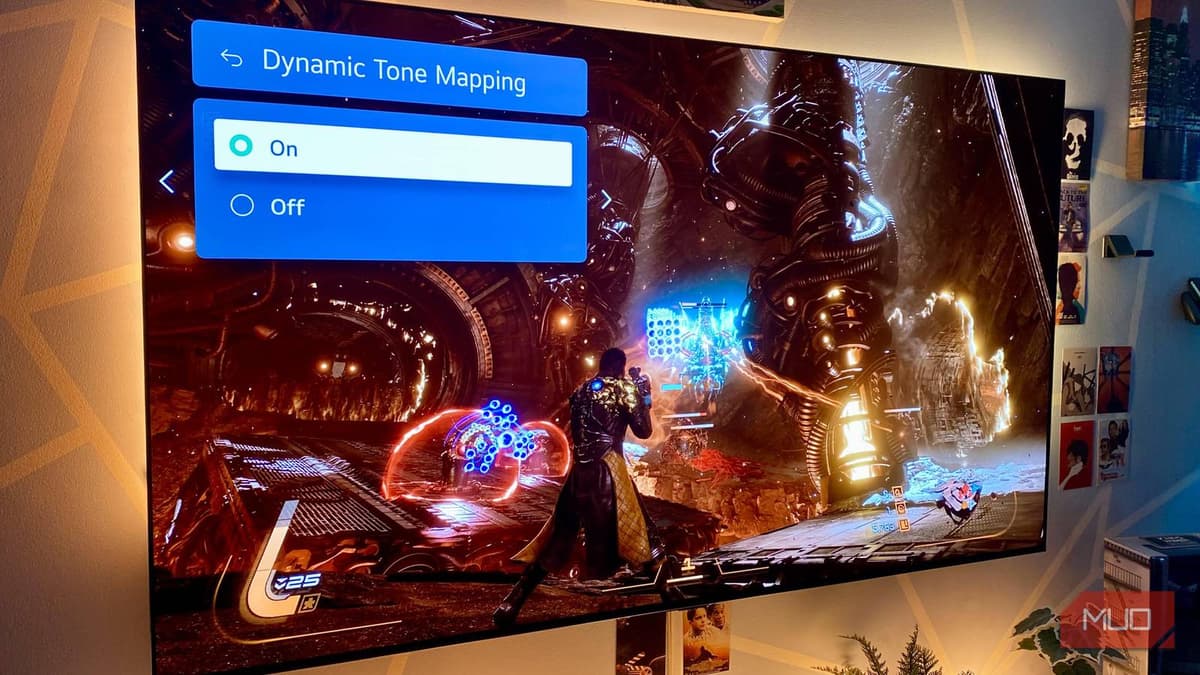
My OLED TV Looked Washed Out Until I Found This One Picture Setting
Companies Mentioned
Why It Matters
Enabling DTM unlocks the full HDR potential of OLED TVs, giving consumers brighter, more detailed images and a better value from premium displays.
Key Takeaways
- •Dynamic tone mapping boosts OLED HDR brightness up to 2000 nits.
- •Feature often disabled by default; enable in TV settings.
- •DTM improves contrast while preserving OLED's deep blacks.
- •Works frame‑by‑frame, adapting to varied HDR content.
- •Enhances viewing in bright rooms and gaming without burn‑in risk.
Pulse Analysis
Dynamic tone mapping addresses a core limitation of OLED panels: modest peak luminance compared with high‑end LCDs. By analyzing each frame’s metadata, DTM reallocates the TV’s available nits to match the source’s intent, effectively compressing extreme highlights while preserving detail. This adaptive approach contrasts with static tone mapping, which applies a single curve to all content and can mute bright scenes. For OLED owners, DTM means the difference between a flat HDR image and one that feels as vivid as the creator intended.
From a consumer standpoint, the activation process is straightforward—usually a toggle within the picture or HDR settings menu. Once turned on, viewers notice immediate gains: brighter highlights in blockbuster movies, richer colors in gaming titles, and reduced clipping in fast‑moving scenes. The technology also safeguards OLED longevity; by avoiding prolonged over‑driving of individual pixels, DTM reduces the risk of burn‑in while still delivering eye‑catching contrast. For households that watch HDR content in well‑lit environments, DTM can make OLEDs competitive with the brightest LCDs without compromising deep blacks.
Manufacturers are increasingly promoting DTM as a differentiator in premium models. LG’s G3, Sony’s A95K, and newer Samsung QD‑OLEDs all list dynamic tone mapping among their HDR toolkits, signaling industry acknowledgment of its value. As HDR standards evolve toward higher peak brightness targets, DTM will likely become a baseline feature rather than an optional tweak. Buyers should verify DTM support during purchase and ensure it’s enabled out of the box to maximize both picture quality and the return on their OLED investment.
My OLED TV looked washed out until I found this one picture setting
Comments
Want to join the conversation?
Loading comments...