I Finally Figured Out How to Make Gemini Actually Useful on Android
Companies Mentioned
Why It Matters
Activating Gemini Utilities gives Android users a true voice‑controlled assistant, highlighting the platform’s advantage in deep AI integration and privacy‑preserving on‑device processing.
Key Takeaways
- •Gemini Utilities must be manually enabled in app settings.
- •Feature works only on Android, not iOS or web.
- •Enables voice control of system functions like timers, Wi‑Fi, alarms.
- •Long‑press power button can launch Gemini hands‑free.
- •Start with Utilities before linking additional apps.
Pulse Analysis
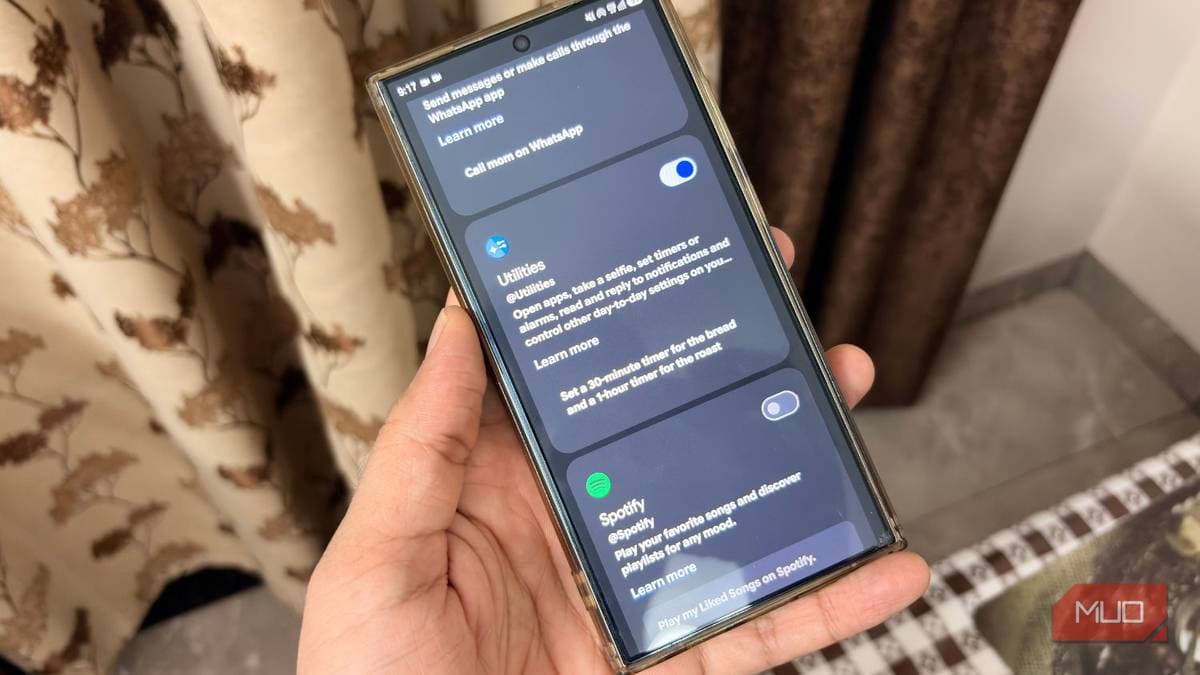
Google introduced Gemini as the next‑generation replacement for its Assistant, promising on‑device large‑language‑model intelligence. Early adopters, however, found the app behaved more like a chatbot than a true system controller, stumbling on basic commands such as setting timers or toggling the flashlight. The missing piece turned out to be a hidden “Utilities” toggle that, when activated, grants Gemini permission to interact directly with Android’s hardware and settings. This feature shifts Gemini from a conversational novelty to a functional voice‑first interface, aligning the product with its original marketing narrative.
Enabling the Utilities feature takes only a few taps: open Gemini, tap the two‑line menu, go to Profile → Settings, select Connected apps, and toggle Utilities on. Once active, users can grant lock‑screen access and the “Use Gemini without unlocking” option, allowing truly hands‑free commands. Android users can also bind Gemini to a long‑press of the power button, turning the device into a voice‑activated hub that can set timers, adjust Wi‑Fi, capture photos, or launch apps with a single utterance. The feature is unavailable on iOS or the web due to platform restrictions.
The emergence of on‑device AI utilities underscores Android’s strategic edge in delivering deep system integration without compromising privacy. By keeping the language model local, Gemini can execute commands instantly and without transmitting sensitive data to the cloud, a selling point for enterprise and security‑conscious users. As competitors roll out similar capabilities, developers are likely to build richer “Connected apps” ecosystems, expanding voice automation beyond basic tasks to complex workflows. Early adopters should start with the core Utilities, master voice phrasing, and gradually layer additional app integrations to avoid overwhelming the assistant.
I finally figured out how to make Gemini actually useful on Android
Comments
Want to join the conversation?
Loading comments...