13 iPhone Automation Ideas—And How to Set Them Up
Companies Mentioned
Why It Matters
iPhone automations let millions of consumers eliminate repetitive tasks, boosting personal productivity and encouraging deeper adoption of mobile‑first workflow tools.
Key Takeaways
- •Shortcuts app now includes Automation for trigger‑based actions.
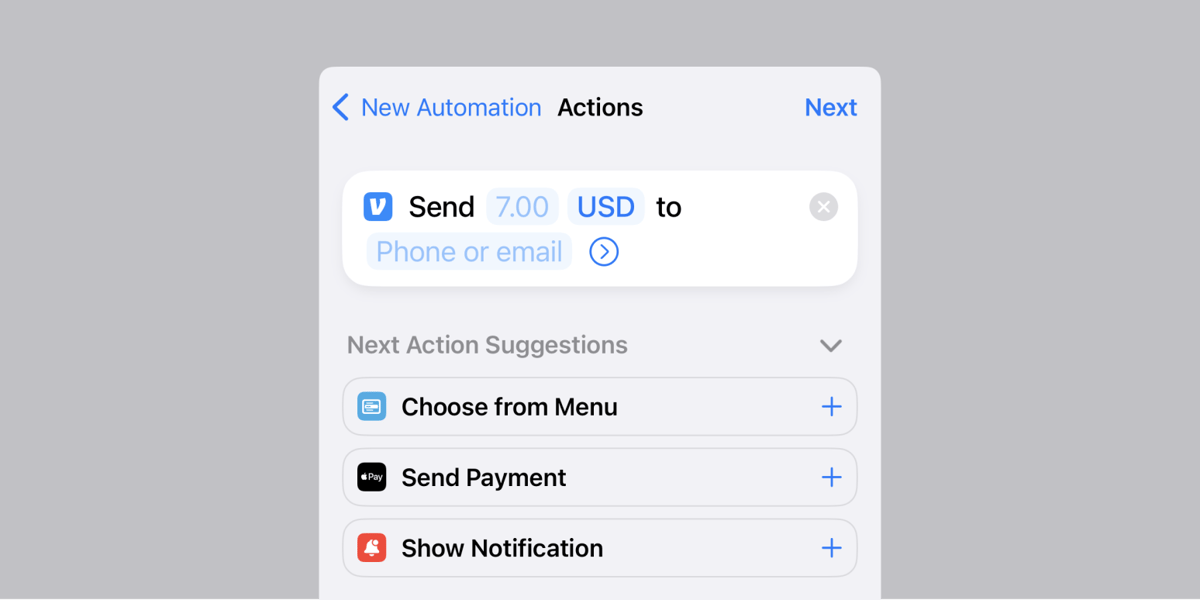
- •Time‑of‑day triggers can schedule recurring payments like Venmo.
- •Location triggers automate messages, focus modes, and smart‑home devices.
- •Battery and low‑power triggers help conserve energy automatically.
- •App‑open triggers can launch music or enable Do Not Disturb.
Pulse Analysis
Apple’s Shortcuts app has evolved from a manual shortcut creator into a full‑featured automation engine, mirroring the trigger‑action model popularized by platforms like Zapier. Introduced with iOS 14, the Automation tab lets users define events—ranging from a specific time, a change in battery level, or the connection of a Bluetooth device—to launch one‑or‑multiple actions without any tap. This shift lowers the barrier for everyday iPhone owners to embed conditional logic into their daily routines, turning a smartphone into a personal productivity hub.
Practical use cases abound. A monthly Venmo transfer can be set to fire automatically on the first of each month, eliminating late‑payment headaches. Location‑based triggers can send a quick "heading home" text when you leave work, switch the device to a Work Focus mode upon arrival at the office, or even start a Roomba when you depart the house. Battery‑level automations toggle Low Power Mode at 40% to stretch daily endurance, while app‑open triggers launch favorite playlists or silence notifications during streaming sessions. By integrating with smart‑home ecosystems via Wi‑Fi or Bluetooth triggers, iPhone automations bridge personal and home tech, delivering seamless, hands‑free experiences.
Looking ahead, the automation framework positions iOS as a viable entry point for more sophisticated, cross‑platform workflows. Power users can chain multiple actions, incorporate conditional checks, and even invoke third‑party APIs through URL schemes, hinting at enterprise‑grade possibilities. However, as automations gain access to messaging, payments, and device settings, security and privacy best practices become paramount—users should regularly audit permissions and enable confirmation prompts for sensitive actions. Mastering iPhone automation not only streamlines daily life but also cultivates a mindset ready for the broader automation economy.
13 iPhone automation ideas—and how to set them up
Comments
Want to join the conversation?
Loading comments...