

How to Perform Project Risk Analysis in 100 Seconds
The video walks viewers through a rapid, five‑step workflow for conducting project risk analysis using the RiskyProject software platform. First, users import an existing schedule from tools such as Microsoft Project, Oracle Primavera, or a CSV file. Next, a risk register is built—either manually, via Excel import, or with AI assistance. Risks are then linked to specific tasks through a drag‑and‑drop interface, where probability and impact (e.g., a 30 % chance of a 20 % duration increase) are entered. Uncertainties can be modeled by specifying low and high duration bounds for each activity or by applying a predefined coefficient band to a group of tasks. With the data in place, a Monte Carlo simulation is launched with a single click, producing a Result Gantt view where white bars show the baseline schedule and blue bars display the risk‑adjusted timeline. The software also generates a project summary with probability distributions for cost, duration, and finish dates. By visualizing how risks reshape schedules and budgets, managers gain quantitative insight to prioritize mitigation, allocate contingency, and communicate realistic timelines to stakeholders.

Discover RiskyProject Version 8: New Features & Live Demo
The webinar introduced RiskyProject Version 8, highlighting a refreshed user interface that mirrors Microsoft Office conventions to reduce the learning curve for project managers. Michael Trumper walked participants through the new layout, responsive design for high‑definition monitors, and consolidated import/export functions...
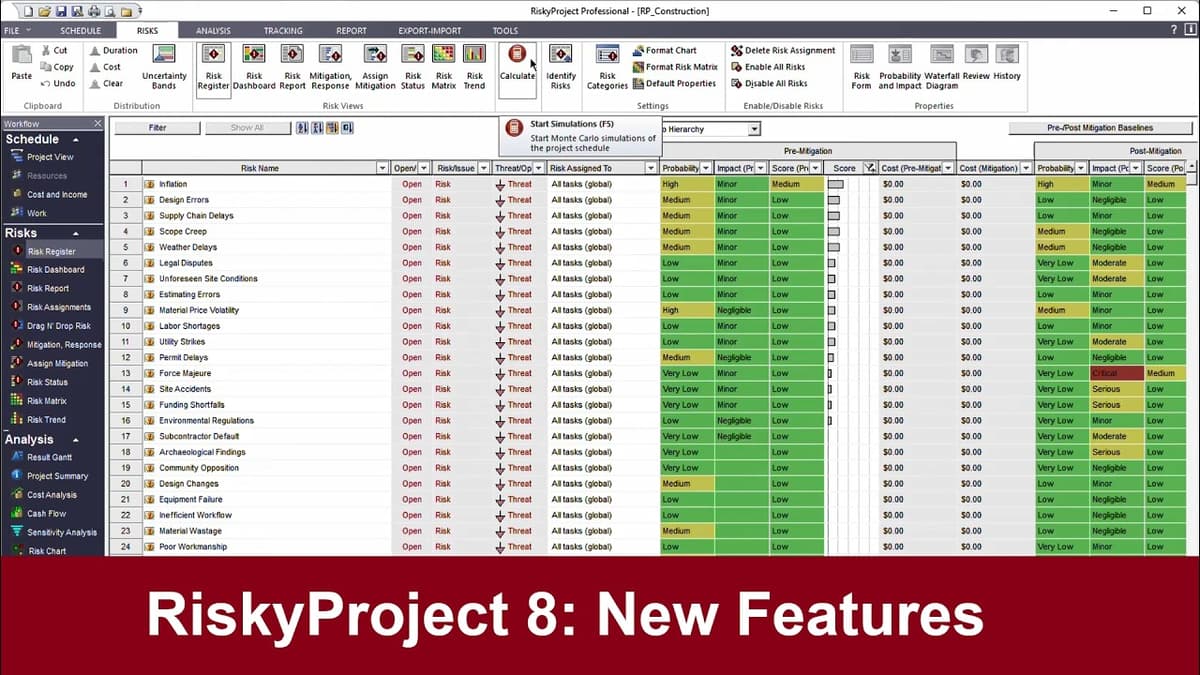
RiskyProject 8: New Features
RiskyProject has launched version 8, the latest iteration of its project risk‑management platform, promising a more predictable and efficient workflow for project managers and risk professionals. The upgrade introduces a fully revamped user interface modeled after Office 365, an import/export hub for seamless...