
This Free File Explorer Lets Me See Four Folders at Once and I’m Hooked
Q‑Dir (Quad‑Directory Explorer) is a free Windows file manager that displays four folder panes simultaneously, eliminating the need to juggle multiple Explorer windows. Users can switch between quad, column, row, or three‑pane layouts, resize panes, and assign individual tabs to each pane for seamless navigation. The app adds productivity‑focused features such as color‑coded file types, saved layout states, and quick access to system tools, while remaining lightweight (under 2 MB) and portable. Its ability to become the default file manager makes it a viable alternative to the native Windows Explorer.

I only Look for This One Feature in a VPN Now
Choosing a VPN today means sifting through countless features, but the author argues that multi‑hop capability is the single most critical attribute. Multi‑hop routes traffic through multiple servers, preventing any one node from seeing both the user’s IP and the...

This Is the Best Way to Reuse an Old Phone — and It's Ridiculously Simple
The article shows how to transform an outdated Android phone into a functional e‑reader with a few simple tweaks. By swapping the stock launcher for a minimalist alternative, enabling a blue‑light filter, and loading reading‑focused apps, the device mimics the...
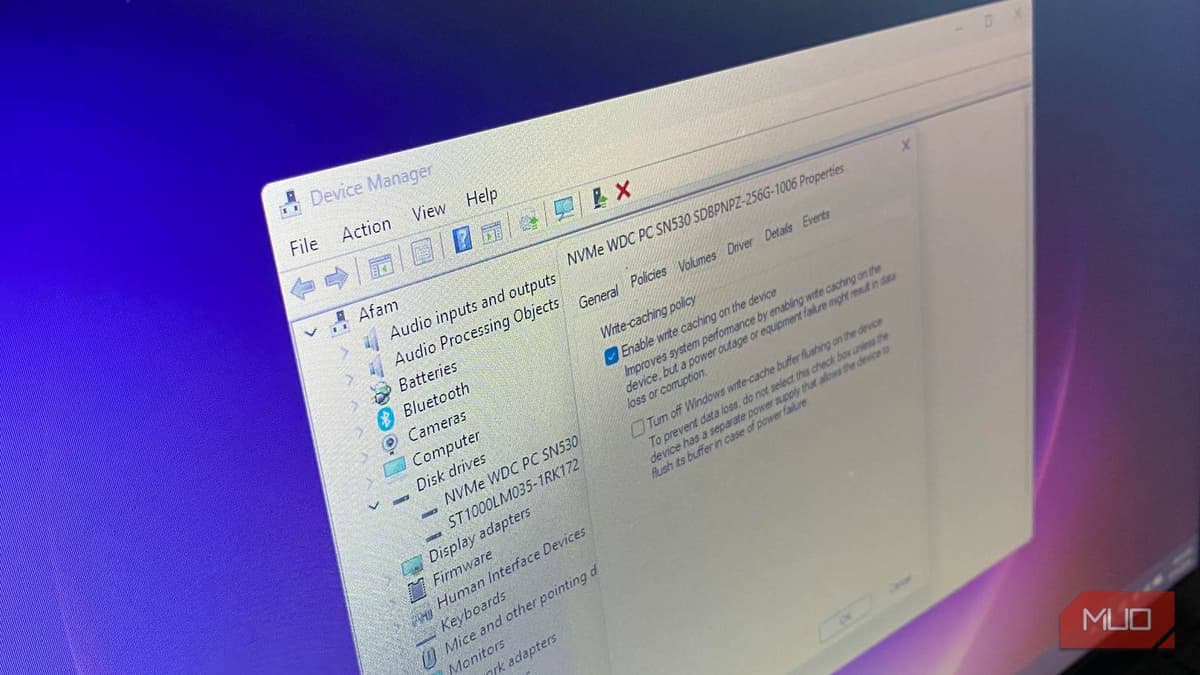
This Hidden Windows Setting Is Slowing Down Your SSD — Here’s the Fix
Windows defaults to the “Quick removal” policy, which disables aggressive SSD write caching and can slow down small, frequent write operations. Changing the policy to “Better performance” enables write caching, allowing the drive to acknowledge writes once data reaches the...

Microsoft Quietly Changed How BitLocker Works — and It Could Lock You Out of Your Own PC
Microsoft’s Windows 11 24H2 update now activates BitLocker automatically during the out‑of‑box experience when a Microsoft account, TPM 2.0, and Secure Boot are present. The encryption starts silently, using the same engine as the Pro‑only BitLocker but without visible controls on Home devices. Because...

5 of the Most Lightweight Operating Systems, Ranked by Download Size
The article ranks five ultra‑lightweight operating systems by download size, from KolibriOS at roughly 1.44 MB up to Slax at under 300 MB. Each OS delivers a functional desktop environment despite its tiny footprint, with KolibriOS fitting on a floppy disk and...

I Freed up 14GB on My SSD Using This Quick Linux Clean Up
An author of a MakeUseOf article discovered that their Debian‑based Linux system’s Downloads folder had accumulated 14 GB of obsolete files, including old ISOs, duplicate PDFs, and lingering .deb packages. By manually auditing the directory with basic commands and applying a...

I Plugged My Phone Into My TV and Discovered Features I Didn't Know Existed
The article explains how connecting a smartphone to a TV with a USB‑C to HDMI adapter unlocks features beyond simple casting. A wired link bypasses DRM restrictions, allowing apps like Netflix and Disney+ to play uninterrupted, and Samsung’s DeX mode...

I Started Using a Self-Hostable AI Research App and I Should Have Sooner
Raghav Sethi reviews Khoj AI, a self‑hostable research assistant that fills the gap between lightweight chat tools and heavyweight platforms like NotebookLM. The service offers a free web tier powered by Gemini Flash 3 and a Docker‑based self‑hosting option that can...

I Replaced My Entire Note-Taking System with a Tool that Syncs without an Account
A growing number of power users are ditching subscription‑based note‑taking services for a free, open‑source stack that guarantees data ownership. The combination of Obsidian, which treats each note as a plain‑text Markdown file, and Syncthing, which synchronizes those files peer‑to‑peer,...

Windows' Multitasking Is Messy — This Tool Fixes the Alt + Tab Clutter
Alt‑Tab Terminator, a free Windows utility from NTWind Software, replaces the default Alt‑Tab switcher with a vertically organized panel featuring large icons, live previews, and a searchable task list. The tool adds keyboard shortcuts for window actions and integrates with...

I Finally Fixed My Linux Laptop’s Constant Fan Noise — It Wasn’t the Hardware
A Linux laptop’s fan was constantly loud despite modest CPU usage and temperatures around 65 °C. The author discovered the noise stemmed from frequent CPU frequency spikes triggered by mismatched power‑management settings, not a cooling problem. Ubuntu’s power‑profiles‑daemon was overridden by...

This New Type of Smart Lock Unlocks the Door Before You Even Reach for Your Phone
Ultra‑Wideband (UWB) smart door locks can detect a user’s approach within 10 cm and unlock automatically, eliminating the need to pull out a phone. The first UWB‑enabled models – Aqara U400 and Ultraloq Bolt Mission – launched in January 2026, priced at $270 and $300...

Pixel's Smartest Widget Is Actually Quite Limited — Unless You Use This App
Google’s At a Glance widget is a hallmark of Pixel phones, but its built‑in customization is modest. The third‑party app Smartspacer upgrades this widget by adding targets, complications, and plugins, and introduces an Expanded Smartspace drawer for deeper data display....

Android 16’s Smartest New Feature Has a Frustrating Catch You’ll Notice Immediately
Android 16 introduces predictive back animation, a gesture‑based navigation that shows a preview of the previous screen when swiping from the device edges. The feature is enabled by default, but its behavior varies across devices and apps—some show a back arrow,...

This Free Tool Is Perfect for Diagnosing Problems with Your PC
LatencyMon is a free Windows utility that diagnoses hidden latency issues causing audio crackles, video stutter, and input lag. Unlike Task Manager, it measures hardware interrupt execution times and highlights problematic *.sys* drivers. The tool presents a clear verdict and...

I Built a RetroPie Console on a Raspberry Pi 3B — and Avoided the Usual Mistakes
The article walks through building a RetroPie console on a Raspberry Pi 3B, emphasizing the board’s sweet‑spot performance for classic games. It lists essential hardware—2.5 A power supply, 32 GB microSD, wired controller—and warns against common missteps like flashing the wrong image. Step‑by‑step instructions...

I Repurposed My Old Android Phone as an Always-On Bedside Assistant
A tech writer transformed an unused Pixel 5 into a dedicated bedside assistant, leveraging its OLED always‑on display, wireless charging, and low standby draw. By installing a minimal home screen, enabling Bedtime Mode, and adding the Sleep as Android app, the...
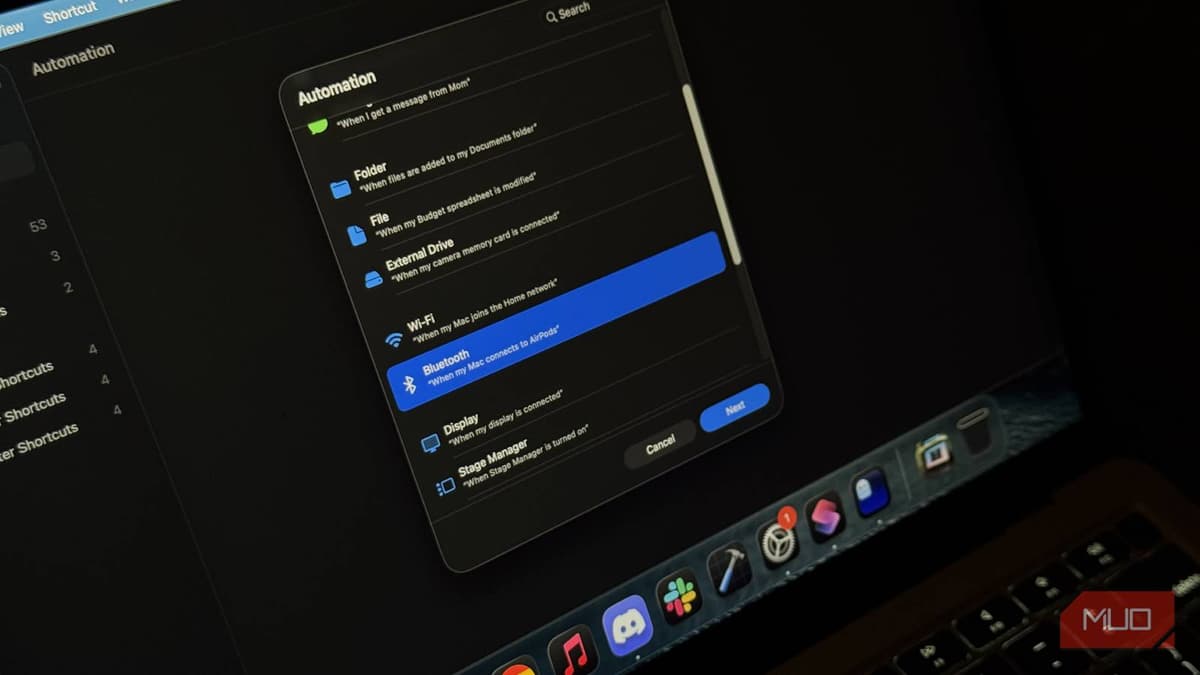
Your Mac Has a Powerful Automation Tool Most People Never Open
Apple’s Shortcuts app, pre‑installed on macOS, offers a powerful, visual automation platform that supersedes the older Automator tool. Users can create workflows by dragging actions, set triggers, and leverage a built‑in Gallery of ready‑made shortcuts without writing code. The app...

Google Photos Is Getting Messy, so I Switched to This Private Alternative
Long‑time Google Photos users are growing frustrated with its crowded interface and limited privacy controls, prompting a shift toward self‑hosted alternatives. PhotoPrism, an open‑source, AI‑driven photo manager, lets users store images on their own servers while offering advanced tagging, RAW...

Microsoft Is Fixing Windows' Oldest Audio Problem and You Probably Didn't Notice
Microsoft has begun rolling out Windows MIDI Services, a new MIDI stack for Windows 11 that modernizes the legacy MIDI 1.0 architecture. The service introduces native MIDI 2.0 support, multi‑client endpoints, and dramatically lower latency, while preserving compatibility with existing APIs and devices....

This BIOS Setting Is Limiting Your AMD CPU's Performance
AMD’s Precision Boost Overdrive (PBO) is a BIOS toggle that lifts the power‑delivery limits of Ryzen CPUs, allowing them to sustain higher boost clocks for longer periods. Enabling PBO on a Ryzen 7 7700 delivered consistent 7‑10% multi‑core gains on rendering, compiling...

This Extension Automatically Says 'No' To Those Annoying Pop-Ups
Consent‑O‑Matic, a free browser extension from Aarhus University, automatically rejects unwanted cookie‑consent banners on Chrome, Firefox and Safari. It groups pop‑ups into five categories, lets users set preferences once, and then applies them silently across sites. The open‑source rule generator...