Classroom Device Management: 8 Strategies for K-12 Success
Cybersecurity

Classroom Device Management: 8 Strategies for K-12 Success

Security Boulevard
Security BoulevardJan 15, 2026

Why It Matters

By structuring digital use, schools improve learning outcomes while safeguarding student privacy, turning technology into a catalyst rather than a distraction.

Classroom Device Management: 8 Strategies for K-12 Success

Digital devices now shape daily instruction in K–12 classrooms. Laptops, tablets, and phones support research, collaboration in the classroom, and blended learning. Many schools also cater for bring your own device (BYOD) environments. These tools can unlock engagement and creativity, but they also create challenges when teachers must balance lesson flow, monitoring, and behavior expectations.

Effective classroom device management helps ensure that devices bolster learning instead of creating distractions or disruptions. Thoughtful management brings structure to device use while protecting students and keeping instruction on track.

The right approach allows students to benefit from technology while teachers maintain a calm, focused, and interactive learning experience. Here’s your guide with tips on how to achieve exactly that.

Classroom device management refers to the practice of monitoring, guiding, and organizing student device use to support effective instruction. It includes classroom laptops, tablets, phones, and any digital tool that connects students to apps or online content. This type of management focuses on what happens during lessons in real time. It brings together expectations, tools, and workflows to create a digital classroom that propels learning.

Teachers use classroom device management to guide digital behavior, manage app access, supervise student screens, and coordinate activities. District leaders use broader device management systems to secure devices, distribute apps, and manage updates across the school or district. And both levels matter:

  • Classroom device management for teachers focuses on daily instructional use.

  • District‑level device management focuses on inventory control, network security, and technology administration.

Common tools include mobile device management (MDM) systems, classroom management software, Apple School Manager, and platforms like Google Classroom or Google Workspace. These tools support real‑time guidance, class setup, content sharing, and student collaboration.

Strong classroom device management also works in tandem with positive classroom management styles, student autonomy, and a smooth learning process where every learner understands expectations and has the resources needed to succeed.

Why classroom device management matters

Classroom devices shape how students access instruction, complete assignments, and collaborate. Without structure, those same devices can divide attention, cast a wide net of distractions, and increase teacher workload. With effective classroom device management at play, teachers can provide healthy frameworks that guide device use toward meaningful tasks instead of competing demands.

There’s also the added advantage of student protection, where proper use can safeguard student data and device security. When teachers can minimize classroom disruptions, everyone has the confidence to stay focused on the task at hand. This builds a safer and more organized learning environment where students can truly thrive.

Key benefits include:

  • Ensuring appropriate device usage during lessons.

  • Supporting student engagement and learning outcomes.

  • Protecting student data through secure platforms and controlled access.

  • Streamlining instructional delivery and app management.

Clear expectations help in BYOD and multi‑device classrooms where students use a mix of personal and school devices. Classroom device management also drives equity: Students gain consistent guidelines and reliable access to instruction, regardless of device type.

Ultimately, strong systems for software for classroom management help teachers spend less time reacting or policing and more time teaching.

8 key classroom device management strategies

Let’s finally get down to the nitty‑gritty. Below are eight practical strategies that help teachers bring structure to digital learning environments while keeping student curiosity alive:

1. Set clear classroom device rules

Students need clarity about when and how to use devices. Teachers should define routines such as “screens down,” “apps open,” and “device away.” These expectations should specify consequences and reinforce responsible digital behavior. Consistent language keeps transitions smooth and attention anchored on instruction rather than aimless negotiation.

2. Use mobile device management tools

Mobile device management tools give teachers visibility and control across classroom devices. Teachers can push apps, restrict features, or lock screens during direct instruction. These tools also help schools protect student data and reduce inappropriate device use. MDM systems support classroom efficiency because teachers can redirect many devices at once instead of addressing issues one by one.

3. Implement strict app and content management

Students focus more effectively when only relevant resources appear on devices. Schools can whitelist approved educational apps and limit distracting websites or games. Strong app management improves safety and helps students stay within each learning task. Teachers can also assign specific tools to students based on their unique learning needs.

4. Screen classroom monitoring and control

Teachers can view student screens to ensure learners stay on task. Screen monitoring allows teachers to quickly spot confusion or disengagement. Classroom control tools also allow teachers to freeze screens, open websites for the whole group, or share exemplary work. This supports accountability and student success without constant verbal redirection.

5. Introduce and maintain scheduled device access

Not every moment requires a device. Successful teachers establish times when digital devices should be active and when they should remain closed. Scheduling helps students understand when to engage digitally versus when to listen, discuss, or write. These routines limit overuse and support healthier long‑term learning habits.

6. Amplify BYOD device integration

Many schools allow students to bring personal devices, necessitating clear rules to ensure consistent expectations regardless of ownership. Secure Wi‑Fi access, separate networks, and identity‑based permissions protect systems while allowing participation. BYOD device integration helps include all students while maintaining responsible controls.

7. Encourage student‑to‑teacher, peer‑to‑peer, and student activity tracking

The latest reporting tools show how students spend time online and how they engage with classwork. These insights help teachers identify students who need support, extension, or redirection. Activity tracking also gives families helpful insight into digital learning behavior.

8. Invest in continued teacher development

Device management grows much stronger when teachers feel confident with classroom management software. Professional development should include real classroom scenarios, device troubleshooting, and strategies to combine technology with pedagogy. Continued support helps schools build sustainable digital learning environments.

Additional helpful approaches

  • Rotating devices during group work.

  • Using gamified digital activities to sustain motivation.

  • Managing cross‑platform environments where students use different operating systems.

Common misconceptions about classroom device management

Several misconceptions can prevent schools from implementing effective device strategies. Addressing them helps teachers adopt tools more confidently. Here are five misconceptions with a helpful shift in perspective for each one:

Misconception 1: Device management is only about restricting students.

In reality, device management enables creative learning by removing distractions and establishing structure. Students gain more opportunities for integration and collaboration once expectations remain clear.

Misconception 2: MDM platforms are too complex for classroom teachers.

Modern tools offer intuitive dashboards that simplify control, monitoring, and communication. Training and modeling help teachers succeed.

Misconception 3: Device management reduces creativity and learning opportunities.

Clear guardrails actually expand opportunities because teachers can trust that students will access appropriate tools.

Misconception 4: All devices must operate the same way to succeed.

Classrooms can use multiple devices successfully. Strict rules, app consistency, open communication, and common expectations matter more than identical hardware.

Misconception 5: Device management replaces classroom management.

Device management supports and anchors classroom management. Teachers still build relationships, encourage participation, and guide behavior. Device management simply extends classroom expectations into digital spaces.

The goal is not control for control’s sake. The goal is effective instruction, safety, and strong student engagement through responsible technology for classrooms.

FAQs: Classroom device management insights for new teachers

What are the 4 types of classroom management?

Instructional, behavioral, organizational, and relational. Device management supports all four through structure, visibility, and consistent expectations.

What are the 5 Ps of classroom management?

Purpose, preparation, procedures, positive reinforcement, and participation. Teachers can align clear device policies with each of these pillars.

What is the 80/20 rule in the classroom?

80 % of learning often comes from 20 % of instructional effort. Strong device management helps maximize the impact of that effort by removing distractions.

Which tools enable classroom device management?

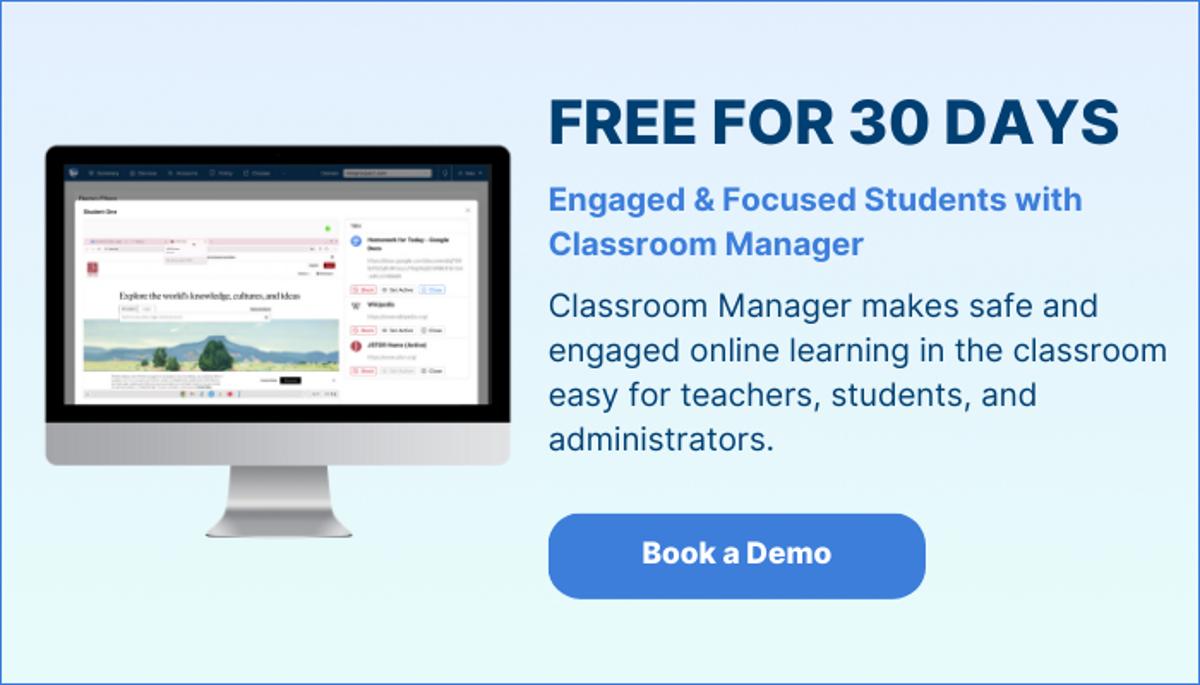
Common tools include ManagedMethods’ Classroom Manager, Google Classroom, Apple School Manager, mobile device management platforms, and classroom management apps that support monitoring and communication.

How does classroom device management improve student engagement?

Classroom device management keeps students focused on relevant apps and activities, gives teachers real‑time visibility into student progress, and amplifies interactive, structured lessons.

Master classroom device management for smoother lessons

Classroom device management helps teachers guide digital behavior, reduce distractions, and keep instruction on track. Strong management creates a learning environment where students stay engaged, teachers feel confident, and technology supports rather than disrupts lessons.

Schools that invest in strategies, training, and the right tools can build digital classrooms that feel organized, collaborative, and secure. These environments help students learn with purpose and help teachers focus on what matters most: meaningful instruction and sustained student success.

Discover how an integrated approach to device management and safety can strengthen teaching and learning in your school. Explore Classroom Manager, Content Filter, and Cloud Monitor for secure, focused, and engaging digital classrooms across your district.

Comments

Want to join the conversation?

Loading comments...