Balkan Architect - Latest News and Information

The video showcases a new tutorial that teaches architects how to transform standard Revit floor‑plan outputs into polished, presentation‑ready visuals. While Revit excels at BIM coordination, its default plan views often appear bland; the presenter demonstrates three progressive styles—clean minimal, concept‑driven with pattern overlays, and fully rendered 3‑D perspectives—to elevate design communication. Key techniques include importing high‑quality Revit families, applying realistic material textures, and leveraging pattern fills to add depth without sacrificing performance. The tutorial walks viewers through setting up a simple layout view, then layering conceptual graphics, and finally generating a perspective render that mimics an on‑site walkthrough. All assets and template files are hosted on BalkanArchitect.com for easy download. The presenter emphasizes, “Revit is an amazing BIM software, but it still looks kind of ugly,” underscoring the need for visual refinement. By using the same families across all three styles, the workflow remains consistent, and the final renders convey both technical accuracy and aesthetic appeal. For firms, these techniques streamline the client‑presentation process, reduce reliance on external rendering tools, and help win projects by delivering compelling, instantly understandable visuals directly from the BIM model.

The video introduces Revit’s Join Geometry command, found on the Modify tab, as a fundamental modeling tool that merges two selected elements into a single, coherent solid. Beyond cosmetic benefits for section views, the command resolves intersecting geometry by designating a...

The video demonstrates how to build an adaptive, parametric tunnel family in Revit that conforms to user-defined curvature. The author shows the element as a mass and then as an in-place adaptive family that follows three control points and a...

The video walks through the correct application of Revit’s line work tool, demonstrating how to accurately depict roof outlines in a floor‑plan view rather than using the feature to mask modeling errors. The presenter first activates the roof underlay in the...
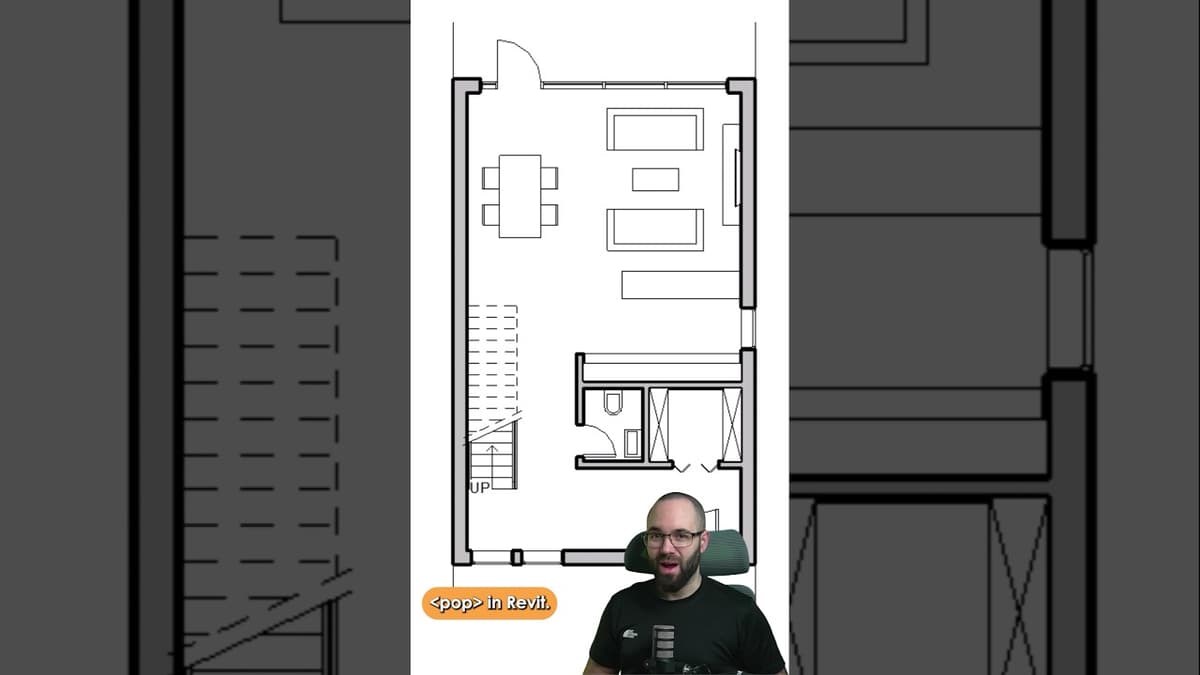
The video demonstrates a quick workflow for making Revit floor plans visually pop, targeting beginners and students who need clearer presentation graphics. The presenter walks through a sample house project, first toggling the "Thin Lines" option to lift the plan...


